
Best WordPress AI Plugins: 10 Powerful Picks for 2026
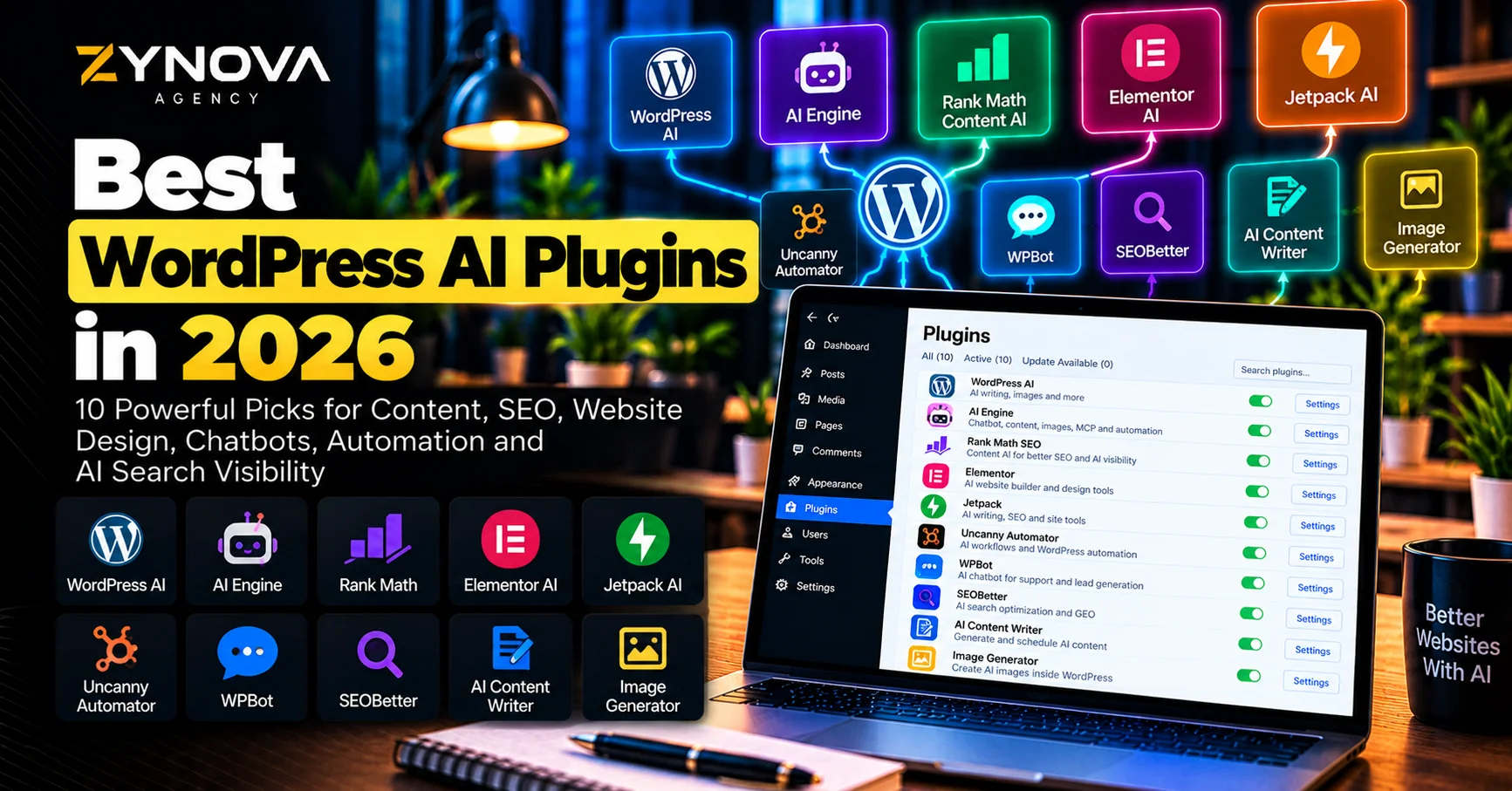
The best WordPress AI plugins in 2026 can now do far more than generate a paragraph inside the post editor.
AI can write and refine content, create images, generate page layouts, improve SEO metadata, build chatbots, automate WordPress actions, create forms, translate content and even allow external AI agents to interact with a website.
WordPress itself is also moving deeper into AI. The official WordPress AI plugin has added image generation and editing, content summaries, type-ahead writing, translation, comment assistance and AI capabilities exposed through WordPress’s newer Abilities architecture.
This creates a new challenge.
You do not need five different AI writing plugins, three chatbots and two SEO assistants on the same website.
The strongest setup is usually a small AI stack where every plugin has a clearly defined purpose.
This guide compares 10 of the best WordPress AI plugins in 2026 for website creation, content, SEO, chatbots, automation, customer support and AI-search optimization.
Best WordPress AI Plugins at a Glance
| Plugin | Best For | Main Strength |
|---|---|---|
| WordPress AI | Native WordPress AI | Official AI capabilities and experimental features |
| AI Engine | Advanced AI integration | Chatbots, models, knowledge bases, MCP and automation |
| Rank Math Content AI | AI SEO | SEO content, metadata, alt text and AI visibility |
| Elementor AI | Website building | AI layouts, copy, images, CSS and site creation |
| Jetpack AI | Writing and site assistance | AI writing, SEO assistance and WordPress integration |
| Uncanny Automator | AI automation | Agents, workflows and WordPress automation |
| WPBot | AI chatbot | Support, lead generation and conversational workflows |
| SEOBetter | GEO and AI SEO | AI-search optimization, citations and llms.txt |
| AI Content Writer | Automated publishing | AI content generation and scheduled posting |
| Image Generator | AI images | Featured images and WordPress media generation |
How We Chose the Best WordPress AI Plugins
The best WordPress AI plugins should save meaningful time or add functionality that would otherwise require custom development.
We looked at practical business use cases rather than simply asking whether a plugin contains the letters “AI.”
The most important areas were content creation, SEO, page building, automation, chatbots, image generation, WordPress integration, current maintenance and compatibility with modern WordPress workflows.
Another factor is overlap.
For example, if Rank Math already handles your AI-assisted SEO workflow, installing another full SEO plugin only because it also says “AI” may create unnecessary duplication.
The same principle applies to page builders and chatbots.
Choose one strong tool for each responsibility.
1. WordPress AI — Best Native AI Plugin for WordPress
The official AI plugin is one of the most important developments in WordPress AI during 2026.
It is not simply another third-party chatbot plugin.
It is the canonical WordPress AI plugin being used to develop and test AI capabilities that integrate with WordPress itself.
The plugin has expanded rapidly throughout 2026.
Current capabilities include AI-assisted content workflows, image generation and editing, summaries, suggested replies, type-ahead text, content translation and AI-generated slugs.
Its image functionality has also become more substantial.
WordPress AI can generate images and perform prompt-based editing, including background changes and object removal or replacement. WordPress promoted image generation and editing from an experimental feature into a broader supported feature during 2026.
Another important area is developer integration.
WordPress is building AI around its Abilities API so that AI tools can interact with WordPress capabilities in a structured way rather than relying only on generated text.
That makes the official AI plugin one of the best WordPress AI plugins to watch if you want AI capabilities that are moving closer to WordPress itself.
It is especially interesting for developers and early adopters.
Because some functionality can still be experimental, businesses should test major features on staging before relying on them for critical production workflows.
Best for: native WordPress AI, experimentation, content assistance, image workflows and developers.
2. AI Engine — Best Advanced AI Framework for WordPress
AI Engine is one of the most flexible AI plugins available for WordPress.
Rather than focusing on one task, it acts more like an AI framework inside WordPress.
The plugin currently supports connections to providers including OpenAI, Anthropic, Google, Mistral and other model services. It can create chatbots, generate content, work with images, build AI forms and connect AI to WordPress functions.
One of its most interesting capabilities is its knowledge system.
AI Engine can work with embeddings and vector databases so a chatbot can answer questions based on website content or uploaded documents rather than responding only from a general model.
That can be useful for:
Customer-support knowledge bases, documentation, membership websites and product-support systems.
AI Engine also supports function calling and MCP-oriented tools.
That means AI can move beyond answering questions and potentially interact with WordPress functions, WooCommerce or custom APIs.
The plugin’s WordPress.org listing reported more than 100,000 active installations and compatibility testing through WordPress 7.1 in September 2026.
This makes AI Engine one of the best WordPress AI plugins for technical users who want control over models, prompts, chatbots and site integrations.
The downside is complexity.
If all you need is help rewriting a paragraph, AI Engine may be more system than you need.
Best for: developers, AI chatbots, RAG, knowledge bases, MCP, model integrations and advanced WordPress AI.
3. Rank Math Content AI — Best for AI-Powered WordPress SEO
Rank Math is already an SEO plugin, but its AI functionality has become substantial enough to make it relevant in a WordPress AI comparison.
Rank Math’s Content AI includes more than 40 AI tools designed around SEO-related content creation and optimization. It can help generate SEO content, metadata and image alt text while integrating directly into the WordPress optimization workflow.
Rank Math also expanded significantly into AI visibility during 2026.
The plugin now includes tools for monitoring brand visibility in AI search, including ChatGPT and Gemini, along with sentiment and competitor information. Its September 22, 2026 release added Gemini tracking, multilingual support and configurable refresh frequencies.
Another newer capability is AI-assisted internal linking.
Rank Math’s AI Link Genius can surface link suggestions and help analyze internal and external link structure.
For a WordPress site publishing SEO content regularly, this combination can reduce the need for several separate optimization plugins.
Rank Math is therefore one of the best WordPress AI plugins when your main goal is organic search and AI-search visibility rather than general chatbot functionality.
For a broader SEO stack, also read Zynova’s Best SEO Tools in 2026
And for AI-search monitoring specifically Best AI Visibility Tools in 2026
Best for: SEO content, metadata, image ALT text, internal links and AI-search visibility.
4. Elementor AI — Best for AI Website Building
Elementor AI is particularly relevant when AI needs to help with the actual website design rather than only content.
Elementor’s current AI system can generate copy, images, layouts, CSS and other website elements directly inside the visual Elementor environment.
It can generate:
Headlines and page copy.
Images and illustrations.
Entire layout containers.
Custom CSS.
HTML structures.
Full website directions.
Elementor’s current AI Builder can also generate multi-page websites from a prompt, while keeping the result editable as native Elementor content.
That last point is important.
Some AI website generators create a first draft that is difficult to customize afterward.
Elementor AI operates inside the same visual builder used for normal editing.
The company has also pushed further into agentic site management in September 2026. Elementor MCP can allow supported external AI tools to interact with the Elementor canvas using native elements and WordPress architecture.
This makes Elementor AI one of the best WordPress AI plugins for designers, agencies and businesses that want AI to accelerate website production without abandoning visual control.
For a broader comparison of AI building platforms Best AI Website Builders in 2026
Best for: WordPress design, page generation, AI images, AI CSS and Elementor websites.
5. Jetpack AI — Best for Writing and General WordPress Assistance
Jetpack is already a large WordPress plugin suite, and AI has increasingly become part of that ecosystem.
Its September 2026 updates expanded Jetpack AI controls, including AI SEO settings, writing-assistant controls, Image Studio access and new AI Hub functionality.
Jetpack AI is useful when a publisher wants AI assistance directly inside familiar WordPress workflows.
Instead of installing a standalone writing application, editors can use AI while working on posts and pages.
Its growing AI Hub also reflects a broader change in WordPress: AI is moving from a single writing button toward a centralized site-assistance layer.
Jetpack’s 2026 updates also added quick-start connections for external AI systems such as Claude and ChatGPT through its MCP-related functionality.
That makes Jetpack AI one of the best WordPress AI plugins for publishers already using the Jetpack ecosystem.
However, if your site does not otherwise use Jetpack, compare the additional modules carefully before installing a large suite solely for AI writing.
Best for: bloggers, publishers, writing assistance and existing Jetpack websites.
6. Uncanny Automator — Best for WordPress AI Automation
AI becomes far more useful when it can take action.
Uncanny Automator focuses on exactly that problem.
Its current WordPress plugin combines a no-code automation engine, AI assistant and AI-oriented page-building capabilities. The plugin can connect WordPress actions with tools such as WooCommerce, learning-management plugins, forms, CRMs and external applications.
A workflow could look like this:
A visitor submits Fluent Forms.
AI analyzes the request.
The contact is categorized.
A CRM record is created.
The correct team receives an alert.
A follow-up is triggered.
That is much more valuable than simply generating another paragraph of text.
Uncanny Automator can also connect WordPress to external systems such as Mailchimp, HubSpot, Slack, Notion and Google Sheets.
The plugin now includes Uncanny Agent and an AI-first page-building workflow alongside its traditional recipe automation system.
This makes it one of the best WordPress AI plugins for businesses where AI needs to participate in operational workflows.
For broader automation platforms Best AI Automation Tools in 2026
Businesses needing more specialized connected workflows can also explore Zynova AI Automation Services
Best for: workflow automation, WooCommerce, forms, CRM integration and AI agents.
7. WPBot — Best for AI Chatbots and Lead Generation
WPBot focuses on customer-facing conversational AI.
It can provide support, answer common questions, capture lead information and build conversational workflows directly on a WordPress website.
The plugin supports AI providers including Gemini and OpenRouter-connected models, and its broader feature set includes RAG-style website knowledge, conversational forms and multi-channel integrations.
WPBot’s newer AI Actions are particularly interesting.
The plugin can create prompt-driven experiences for use cases such as lead qualification, quote requests, SaaS demo booking and other structured customer interactions.
That means the chatbot does not have to be only:
“Ask me a question.”
It can become part of a conversion workflow.
For example, a web agency could use a bot to ask what service the customer needs, collect budget information and route the enquiry appropriately.
The WordPress.org listing reported more than 5,000 active installations and compatibility testing through WordPress 7.1.2 in September 2026.
WPBot is therefore one of the best WordPress AI plugins for businesses wanting AI directly on the public-facing website.
Best for: customer support, lead qualification, FAQs, conversational forms and WordPress chatbots.
8. SEOBetter — Best for GEO and AI-Search Optimization
Traditional SEO plugins were originally designed around Google search results.
SEOBetter focuses more heavily on AI-search optimization.
Its WordPress.org description positions it around Generative Engine Optimization and Answer Engine Optimization, including content scoring for AI visibility, citation readiness, schema and llms.txt generation.
The plugin can work alongside established SEO systems including Rank Math, Yoast, All in One SEO and SEOPress rather than necessarily replacing them.
Its functionality includes areas such as:
AI-search content analysis.
Article generation with external research.
Citation support.
Schema.
AI crawler auditing.
llms.txt.
Content freshness.
Internal-link analysis.
This is a newer and rapidly evolving category, so businesses should avoid assuming that installing a GEO plugin will automatically make ChatGPT cite their site.
AI visibility depends on content quality, external authority, citations, technical accessibility and many other signals.
Still, SEOBetter is one of the best WordPress AI plugins for experimenting specifically with AI-search readiness.
Best for: GEO, AEO, AI-search content optimization and citation-focused publishing.
9. AI Content Writer — Best for Automated Content Production
AI Content Writer is focused more heavily on automated publishing.
Its 2026 updates added block-editor integration, campaign frequency controls and compatibility updates for WordPress 7.0.
That makes it suitable for publishers who want AI content generation directly inside WordPress rather than moving between ChatGPT and the editor manually.
The major appeal is workflow speed.
Instead of:
Generate externally → copy → paste → format → publish,
the content-generation layer operates inside WordPress.
However, this is also where businesses need the most editorial discipline.
Automatically generating hundreds of posts does not create a strong SEO strategy.
Every important article should still be checked for:
Accuracy.
Originality.
Useful examples.
Sources.
Search intent.
Internal links.
Brand voice.
AI can accelerate the draft.
A human should remain responsible for the final publication.
AI Content Writer is therefore one of the best WordPress AI plugins for high-volume publishing workflows when proper editorial review is already in place.
Best for: publishers, blogs, scheduled AI drafting and content-heavy websites.
10. Image Generator — Best for AI Featured Images
AI is not only useful for text.
Image Generator is designed specifically around creating WordPress imagery.
The plugin can generate images through OpenAI directly from WordPress and integrates with the Gutenberg editor and Media Library.
It can also create automatic featured images when a post is saved without one.
That is useful for sites publishing frequently.
Examples include:
News websites.
Affiliate sites.
Blogs.
WooCommerce stores.
Membership sites.
Educational websites.
Instead of publishing posts with the same generic stock images, a workflow can generate a more relevant image from the article topic.
The plugin also provides reusable image templates and supports featured images across supported post types.
This makes it one of the best WordPress AI plugins for publishers whose biggest AI need is visual production rather than writing.
For professional brand sites, generated images should still be reviewed for visual consistency before publishing.
Best for: featured images, blog thumbnails, publishers and WooCommerce imagery.
Which WordPress AI Plugin Should You Choose?
The answer depends on the problem.
If you want the most WordPress-native AI direction, start by watching the official WordPress AI plugin.
If you want an advanced framework with chatbots, models, knowledge bases and developer tools, AI Engine is stronger.
If SEO is the priority, Rank Math Content AI is the more logical choice.
If you design pages with Elementor, Elementor AI integrates directly into the workflow you already use.
Jetpack AI makes sense for existing Jetpack users who want writing assistance.
Uncanny Automator becomes more valuable when AI needs to trigger real WordPress actions.
WPBot is aimed at website visitors and customer conversations.
SEOBetter focuses on AI-search optimization.
AI Content Writer is more relevant for publishing workflows.
Image Generator solves a narrower but useful visual-content problem.
The best WordPress AI plugins are therefore not direct substitutes for one another.
Do Not Install Every AI Plugin
Installing all ten would be a bad idea for most websites.
There would be significant overlap.
For example, several plugins can generate content.
Several can create images.
Several can connect to AI providers.
Several can optimize SEO.
Choose your primary system for each responsibility.
A practical business WordPress stack might use:
Elementor AI for design.
Rank Math for SEO.
Uncanny Automator for workflow automation.
WPBot or AI Engine if a public chatbot is actually required.
That is enough for many websites.
Your existing plugin stack should also influence the decision.
For example, if a website already uses Elementor and Rank Math, replacing them simply because another AI plugin includes similar features may create more work than value.
AI Plugins Can Increase API Costs
Some best WordPress AI plugins include their own AI usage.
Others require an external API key.
That distinction matters.
A plugin may be free to install but still generate charges whenever it calls an AI provider.
Heavy usage can include:
Content generation.
Chatbot conversations.
Image generation.
Embeddings.
Translation.
AI search.
Automated agents.
Before deploying AI on a high-traffic website, understand who pays for each AI request and whether usage limits can be configured.
A chatbot available to every anonymous visitor needs much stronger cost controls than an AI writing assistant used only by two administrators.
Think About Privacy Before Connecting AI
AI plugins can send information outside WordPress.
Exactly what leaves the site depends on the plugin and the AI provider.
That could include prompts, post content, uploaded files or other information required to complete a task.
For example, Rank Math documents that Content AI can transmit keyword information, post content or image data when AI features are used.
Businesses should therefore understand the data flow before using AI with confidential information.
This matters particularly for websites dealing with sensitive customer, medical, financial or proprietary business information.
Do not assume that an AI feature being available means every type of data should be sent through it.
AI Plugins Can Affect Website Performance
Every plugin adds code and potentially additional requests.
AI functionality can also require:
External API calls.
Database storage.
Chat histories.
Embeddings.
Background processes.
JavaScript.
Tracking.
A simple admin-only writing assistant may have almost no effect on public page performance.
A constantly running chatbot with several frontend scripts may have a larger impact.
Measure the actual site.
Do not judge only by the number of installed plugins.
For the wider WordPress stack, see Zynova’s guide to the Best WordPress Plugins in 2026
And if hosting is becoming the limiting factor Best WordPress Hosting in 2026
AI Should Assist Publishing, Not Remove Editorial Control
One-click generation is convenient.
It also makes publishing low-quality content extremely easy.
A strong workflow is:
AI creates a first draft.
A person checks the facts.
Sources are verified.
Examples are improved.
Internal links are added.
The article is edited for readability.
Images are reviewed.
SEO settings are completed.
Then the content is published.
The best WordPress AI plugins should accelerate those stages rather than encourage publishing content nobody has reviewed.
Which WordPress AI Plugin Is Best for SEO?
Rank Math Content AI is one of the strongest choices when SEO is already being managed through Rank Math.
It combines AI-assisted writing with metadata, ALT text, internal-link functionality and newer AI-visibility capabilities.
SEOBetter is more specialized around GEO and AEO.
The two tools solve somewhat different problems.
Traditional SEO remains important even as AI search grows.
For your broader SEO strategy How to Improve Website SEO in 2026
Which WordPress AI Plugin Is Best for Chatbots?
AI Engine and WPBot are the most relevant options in this comparison.
AI Engine is stronger when you need a flexible AI framework, multiple providers, embeddings, knowledge bases and developer integrations.
WPBot is more focused on a business-facing chatbot experience involving support, lead generation and conversational workflows.
Choose according to what the chatbot is supposed to accomplish.
Which WordPress AI Plugin Is Best for Automation?
Uncanny Automator is the clearest automation-focused option here.
It can connect WordPress events with plugins and external applications while adding AI into those workflows.
AI Engine can also support more developer-oriented automation through functions and APIs.
For complex company-wide automation that extends far beyond WordPress, platforms such as n8n, Make or Zapier may still be more appropriate.
Which WordPress AI Plugin Is Best for Website Design?
Elementor AI is the strongest fit when the website already uses Elementor.
It can generate copy, images, layouts, CSS and full site structures while keeping the results editable inside Elementor.
That is particularly useful for agencies because AI speeds up repetitive design work without forcing the final website into an unfamiliar environment.
The Best WordPress AI Plugins Should Solve Real Problems
AI features are appearing in almost every WordPress product.
That does not mean every AI feature deserves to be installed.
The best WordPress AI plugins are the ones that remove actual friction.
Use AI when it saves time.
Use automation when work is repetitive.
Use chatbots when customers genuinely need instant answers.
Use AI SEO tools when they improve research and publishing.
Use image generation when visual production is a bottleneck.
Avoid installing AI simply because the dashboard looks impressive.
A smaller, carefully selected plugin stack is usually easier to secure, maintain and troubleshoot.
If your business needs AI integrated into WordPress, a customer-facing chatbot, automated workflows or a more customized website system, explore Zynova Agency’s AI and development services:
Frequently Asked Questions
What are the best WordPress AI plugins in 2026?
Some of the best WordPress AI plugins include WordPress AI, AI Engine, Rank Math Content AI, Elementor AI, Jetpack AI, Uncanny Automator, WPBot, SEOBetter, AI Content Writer and Image Generator.
What is the best WordPress AI plugin for content?
Jetpack AI, WordPress AI, AI Engine and Rank Math Content AI can all assist content workflows. The right choice depends on whether you mainly need general writing, SEO optimization or advanced AI integration.
What is the best AI plugin for WordPress SEO?
Rank Math Content AI is a strong choice when Rank Math already manages your website’s SEO. SEOBetter is more specialized around GEO, AEO and AI-search optimization.
What is the best WordPress AI chatbot plugin?
AI Engine is strong for advanced chatbot and knowledge-base requirements, while WPBot focuses heavily on customer support, lead generation and conversion workflows.
Can AI build WordPress pages automatically?
Yes. Elementor AI can generate page layouts, copy, images and even broader site structures, while Uncanny Automator now also offers an AI-oriented page-building workflow.
Are WordPress AI plugins free?
Some provide free functionality, while others require premium plans, AI credits or your own API key. Always check both plugin pricing and any external AI usage costs.
Do WordPress AI plugins slow down websites?
They can, depending on how they operate. Admin-only AI writing tools may have little frontend impact, while chatbots and other visitor-facing functionality can add scripts, requests or database activity.
Should I publish AI-generated articles automatically?
For important business or SEO content, human review is strongly recommended. AI can accelerate drafting, but factual accuracy, sources, originality, internal linking and final editorial quality still need verification.