
Best WordPress Plugins: 12 Essential Picks for 2026
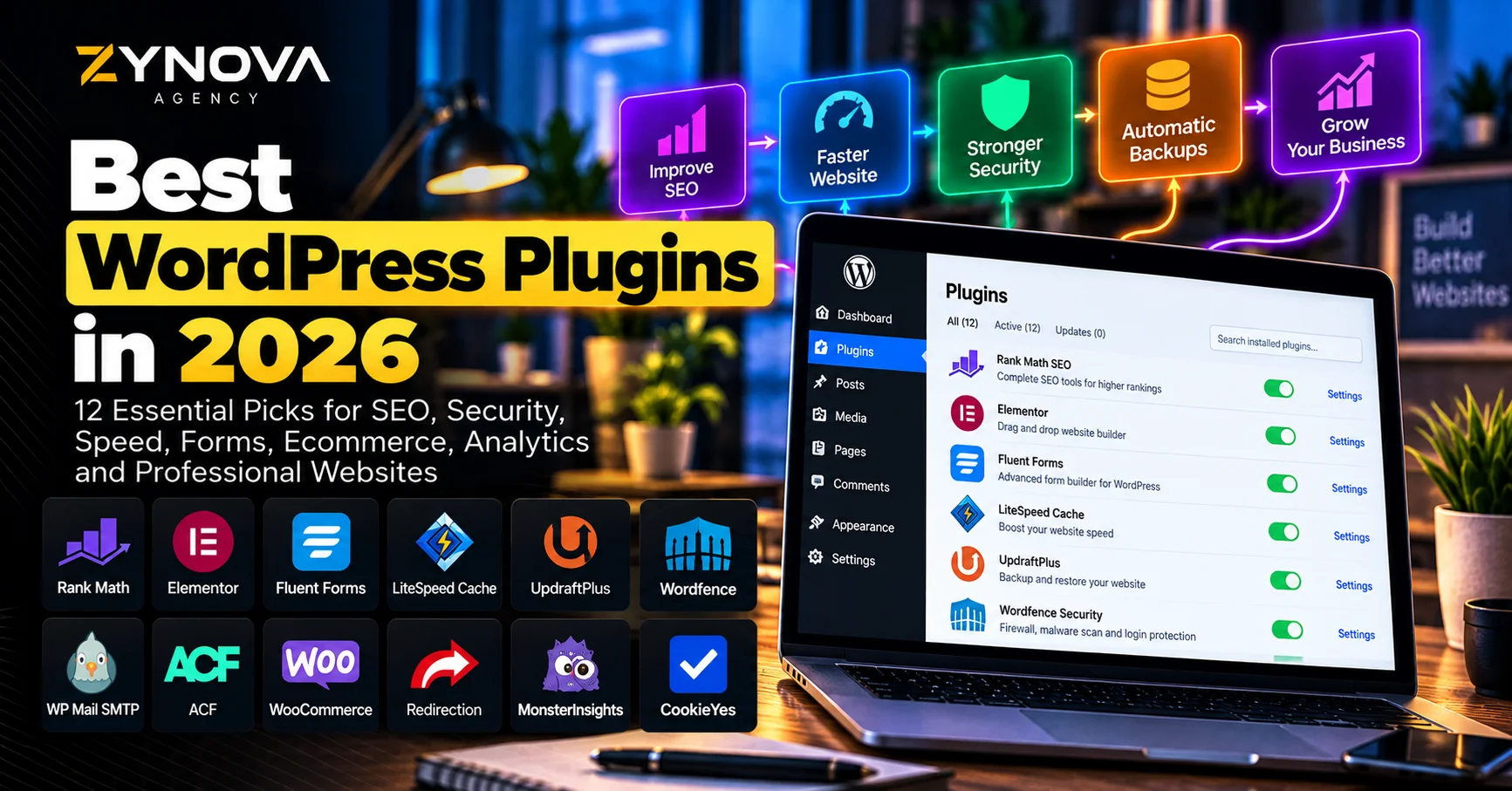
The best WordPress plugins in 2026 can turn a basic WordPress installation into a professional business website with SEO tools, forms, security, backups, faster loading, ecommerce, analytics and advanced content management.
But installing more plugins does not automatically make a website better.
Every additional plugin adds code, settings, updates and another potential compatibility point. The goal is therefore not to install dozens of plugins. It is to choose a small, reliable stack where every plugin solves a real problem.
WordPress businesses also need to think beyond features. Plugins should be actively maintained, compatible with current WordPress versions and updated when security issues are discovered.
That is particularly important in 2026 as WordPress itself continues evolving. Plugins such as Elementor, Rank Math, WooCommerce, LiteSpeed Cache and Advanced Custom Fields have all released substantial updates this year.
This guide covers 12 of the best WordPress plugins for professional business websites and explains what each plugin is actually useful for.
Best WordPress Plugins at a Glance
| Plugin | Best For | Main Strength |
|---|---|---|
| Rank Math | SEO | Metadata, schema, sitemaps and SEO analysis |
| Elementor | Website design | Visual page building and responsive layouts |
| Fluent Forms | Forms | Lead forms, surveys and business enquiries |
| LiteSpeed Cache | Performance | Caching, optimization and CDN integration |
| UpdraftPlus | Backups | Scheduled backup, restore and migration |
| Wordfence | Security | Firewall, malware scanning and login security |
| WP Mail SMTP | Email delivery | Reliable WordPress transactional email |
| Advanced Custom Fields | Custom content | Structured fields and custom WordPress systems |
| WooCommerce | Ecommerce | Full online-store functionality |
| Redirection | Redirect management | 301 redirects and 404 monitoring |
| MonsterInsights | Analytics | Google Analytics inside WordPress |
| CookieYes | Cookie consent | Consent banners and cookie management |
How We Chose the Best WordPress Plugins
The best WordPress plugins should solve important website problems without creating unnecessary complexity.
For this comparison, we focused on plugins that support common business requirements:
- Search engine optimization
- Website design
- Lead generation
- Performance
- Security
- Backups
- Email reliability
- Ecommerce
- Analytics
- Custom functionality
- Redirect management
- Privacy and consent
We also considered maintenance and current compatibility.
An abandoned plugin can become a bigger problem than the feature it originally solved.
For important business websites, keep WordPress, themes and plugins updated, test major changes on staging when possible and maintain reliable backups before performing updates.
1. Rank Math — Best WordPress Plugin for SEO
Rank Math is one of the strongest SEO plugins available for WordPress.
It helps manage many important on-page and technical SEO elements directly inside the WordPress dashboard.
These include:
- SEO titles
- Meta descriptions
- Focus keywords
- XML sitemaps
- Canonical URLs
- Schema markup
- Robots settings
- Social metadata
- Internal-link suggestions
- 404 monitoring
- Redirect functionality
- Content analysis
Rank Math currently reports more than four million WordPress installations, and its September 2026 release added further AI visibility functionality including Gemini tracking and additional integrations for AI assistants.
This makes Rank Math particularly relevant as SEO expands beyond traditional Google results.
However, the optimization score should remain a checklist rather than the final objective.
Getting 100/100 inside an SEO plugin does not guarantee rankings.
Content still needs to satisfy search intent, provide useful information and compete effectively against other pages.
Rank Math is nevertheless one of the best WordPress plugins for businesses that want to control SEO without manually editing code.
For a broader strategy beyond plugin settings, read Zynova’s guide on how to improve website SEO in 2026.
Best for: business websites, blogs, SEO content and WordPress publishers.
2. Elementor — Best for Visual WordPress Design
Elementor is one of the most widely used visual website builders for WordPress.
Instead of designing every page through code, Elementor allows users to build layouts visually using containers, widgets, responsive controls and reusable design elements.
Its 2026 releases have continued expanding both its visual editor and AI capabilities. Elementor 4.3 introduced Elementor MCP, allowing compatible AI tools to interact with pages, elements and the site’s design system.
For business websites, Elementor can be used to create:
- Home pages
- Service pages
- Landing pages
- Portfolio layouts
- Contact pages
- Blog templates
- Calls to action
- Responsive mobile layouts
One major advantage is control.
A business can create more customized layouts than many traditional WordPress themes allow.
The drawback is that page builders can become heavy when websites use excessive animations, widgets or third-party add-ons.
Use Elementor carefully rather than adding an effect to every section.
Among the best WordPress plugins, Elementor is particularly useful for companies that want a professional design while retaining WordPress flexibility.
Businesses that need a complete professional site rather than building everything themselves can also explore Zynova Agency’s web development services.
Best for: business websites, landing pages, portfolios, agencies and custom visual layouts.
3. Fluent Forms — Best for Business Forms and Lead Capture
A business website usually needs at least one form.
That could be:
- Contact form
- Quote request
- Project enquiry
- Booking request
- Survey
- Registration form
- Lead form
- Payment form
Fluent Forms provides a visual form-building environment designed specifically for WordPress.
Its dashboard can show form views, entries and conversion information, while more advanced configurations can connect forms to other business systems.
This makes it useful for companies where website visitors need to submit structured information.
A project enquiry form, for example, can ask for the customer’s name, company, requested service, budget and project details rather than relying only on a generic email address.
The result is a better-qualified enquiry.
Fluent Forms also continues receiving active security and functionality updates. Version 6.2.6, released in July 2026, included both accessibility improvements and security fixes.
That makes Fluent Forms one of the best WordPress plugins for lead generation and structured website enquiries.
Best for: contact forms, project enquiries, lead generation, surveys and registrations.
4. LiteSpeed Cache — Best for WordPress Performance
Website speed can affect user experience, conversion and overall site quality.
LiteSpeed Cache combines caching with a range of WordPress optimization features.
Its general optimization functionality can work across different web servers, while its server-level caching features require LiteSpeed-compatible infrastructure.
The plugin can help with areas such as:
- Page caching
- CSS optimization
- JavaScript optimization
- Image optimization
- WebP and AVIF handling
- Object cache integration
- CDN integration
- Database optimization
LiteSpeed Cache currently has more than seven million active WordPress installations and received several major updates during 2026.
That makes it one of the best WordPress plugins for performance when the hosting environment supports its strongest features.
However, optimization settings should be tested carefully.
Aggressive CSS or JavaScript optimization can sometimes break menus, forms or page-builder elements.
Enable changes gradually and test the website on desktop and mobile after major configuration changes.
If hosting itself is the bottleneck, also see Zynova’s comparison of the best WordPress hosting providers in 2026.
Best for: performance optimization, caching and LiteSpeed-hosted WordPress websites.
5. UpdraftPlus — Best for WordPress Backups
A business website should never rely on only one copy of its data.
UpdraftPlus is designed for WordPress backup, restoration and migration.
The plugin supports scheduled backups and can send backup files to remote storage services rather than leaving everything on the same hosting account.
Its WordPress.org listing currently reports more than three million active installations.
Depending on the configuration, backups can include:
- Database
- Plugins
- Themes
- Uploads
- Other WordPress files
Backups can also be stored remotely using services such as Google Drive, Dropbox, Amazon S3 and other supported destinations.
This is important because server-level backups and plugin-level backups solve slightly different problems.
If the entire hosting account becomes unavailable, an independent remote backup provides another recovery path.
UpdraftPlus is one of the best WordPress plugins for reducing the risk created by failed updates, human mistakes, migrations and site corruption.
For important websites, verify that backups actually complete and occasionally test the restoration process.
A backup you have never tested is not yet a complete recovery plan.
Best for: automated backups, migration and disaster recovery.
6. Wordfence — Best for WordPress Security
WordPress security is not solved by one plugin, but a security plugin can provide an additional defensive layer.
Wordfence includes a firewall, malware scanning and login-security functionality.
Its 2026 updates have included compatibility and security improvements, including modernization for WordPress 7.
Wordfence can help monitor areas such as:
- Malicious requests
- Modified files
- Malware
- Login attacks
- Suspicious traffic
- Authentication security
For business websites, security becomes more important when the site stores customer information, processes orders or provides administrator access to several employees.
Wordfence is therefore one of the best WordPress plugins for adding security monitoring to a normal business website.
However, do not assume installing Wordfence makes the site completely secure.
Security should also include:
- Strong unique passwords
- Two-factor authentication
- Updated WordPress software
- Updated plugins
- Reliable hosting
- Least-privilege user roles
- Backups
Plugins are one layer of a broader security strategy.
Best for: login protection, firewall functionality, malware scanning and security monitoring.
7. WP Mail SMTP — Best for Reliable WordPress Email
WordPress websites often send important transactional emails.
These may include:
- Contact-form notifications
- Password resets
- WooCommerce order emails
- Account notifications
- Booking confirmations
- Admin alerts
The problem is that relying on the server’s default PHP mail configuration can cause delivery problems.
WP Mail SMTP helps route WordPress email through a proper mail provider rather than relying only on the hosting server’s default mail function.
The plugin currently reports more than four million websites using it for WordPress email delivery.
It supports SMTP and API-based transactional mail services, while paid functionality can add features such as email logging, reporting, backup connections and conditional routing.
That makes WP Mail SMTP one of the best WordPress plugins for websites where missing an email could mean losing a customer.
If your current hosting and form system already deliver emails reliably, you may not need to change anything.
Install it when you have an actual deliverability problem or when the business requires more reliable transactional email infrastructure.
Best for: contact forms, WooCommerce emails, account notifications and transactional email.
8. Advanced Custom Fields — Best for Custom WordPress Content
Advanced Custom Fields becomes extremely useful when WordPress needs to behave like more than a basic page-and-post system.
ACF allows developers to add structured fields to WordPress content.
For example, imagine a real-estate listing.
Instead of typing everything into one large text editor, the website could have dedicated fields for:
- Property location
- Plot size
- Bedrooms
- Bathrooms
- Dimensions
- Property type
- Gallery
- Status
A developer can then display that information consistently throughout the website.
ACF can also work with custom post types, custom blocks and more advanced WordPress development workflows.
Its 2026 releases introduced significant new functionality, including WordPress Abilities API integration, additional ACF Blocks functionality and security improvements.
This makes ACF one of the best WordPress plugins for agencies and developers building structured business websites.
It is not necessary for a simple five-page brochure website.
It becomes valuable when the site has repeatable, structured data.
Best for: developers, custom post types, directories, listings and advanced WordPress projects.
9. WooCommerce — Best for WordPress Ecommerce
If you want to turn WordPress into an online store, WooCommerce remains the main ecommerce platform to consider.
WooCommerce is open source and currently reports more than seven million active WordPress installations.
It supports products such as:
- Physical goods
- Digital downloads
- Product variations
- Affiliate products
- Subscriptions through extensions
- Bookings through extensions
- Membership-related functionality
WooCommerce also provides APIs, hooks and webhooks that developers can use to create custom commerce systems.
The platform continues receiving significant performance work.
WooCommerce 11.0 introduced optimizations targeting product pages, order screens and larger stores, with product object caching producing measurable improvements for some variable-product and bundle workflows.
WooCommerce is therefore one of the best WordPress plugins for businesses that want ecommerce while retaining WordPress control and extensibility.
It does require more maintenance than a completely hosted platform such as Shopify.
If you are comparing ecommerce approaches, Zynova Agency also provides ecommerce development services.
Best for: online stores, product businesses and custom WordPress ecommerce.
10. Redirection — Best for Managing Redirects and 404 Errors
URLs change.
Pages get deleted.
Old campaigns expire.
Blog posts move.
Products are renamed.
When an old URL has backlinks or search visibility, simply deleting it can create a 404 error for visitors and search engines.
Redirection provides an easier way to manage redirects inside WordPress without manually editing server configuration.
The plugin can create and manage 301 redirects and monitor 404 errors.
That makes it especially useful during:
- Website redesigns
- URL changes
- Migrations
- Deleted pages
- Category restructuring
- Content consolidation
Its 2026 releases have also improved import/export functionality and WordPress 7 interface compatibility.
Redirection is one of the best WordPress plugins for maintaining clean URL structures as a site evolves.
One caution: before adding a separate redirect plugin, check whether your existing SEO plugin already provides the redirect functionality you need.
Installing two plugins for exactly the same job creates unnecessary overlap.
Best for: 301 redirects, broken URLs, migrations and 404 monitoring.
11. MonsterInsights — Best for Google Analytics Inside WordPress
Website analytics help answer important business questions.
Where are visitors coming from?
Which pages attract traffic?
Which campaigns generate users?
Which content performs well?
MonsterInsights connects Google Analytics with WordPress and presents website statistics inside the WordPress dashboard.
Its 2026 releases have expanded the dashboard and reporting experience, including AI-assisted analytics, improved page insights and additional reports.
This can be particularly useful for business owners who find the full Google Analytics interface overwhelming.
Instead of opening another platform for basic website information, important metrics can be available directly within WordPress.
MonsterInsights can also support ecommerce and form-related tracking depending on configuration and plan.
That makes it one of the best WordPress plugins for businesses wanting easier access to analytics.
However, it is optional.
If your team is comfortable using Google Analytics and Google Tag Manager directly, you may not need an additional analytics plugin.
Best for: business owners, marketers and simplified WordPress analytics.
12. CookieYes — Best for Cookie Consent Management
Many websites use analytics, advertising scripts, embedded media and other technologies that can set cookies.
CookieYes adds a consent banner and tools for managing cookie preferences.
Its WordPress plugin supports functionality including:
- Cookie consent banner
- Accept and reject controls
- Preference categories
- Automatic cookie blocking
- Consent logging
- Cookie scanning
- Google Consent Mode v2
The plugin currently reports more than one million active installations.
CookieYes itself clearly notes that simply installing the plugin does not automatically make a website legally compliant because requirements depend on the site’s actual cookies, processing and jurisdiction.
That distinction is important.
A consent-management plugin is a tool.
It is not a substitute for appropriate legal review or correct configuration.
CookieYes is nevertheless one of the best WordPress plugins for businesses that need a structured way to manage cookie consent.
Best for: cookie banners, consent management, analytics consent and international business websites.
Do You Need All 12 WordPress Plugins?
No.
In fact, you probably should not install every plugin in this article.
A typical service-business website might use:
Rank Math for SEO.
Elementor for design.
Fluent Forms for enquiries.
LiteSpeed Cache for performance if the hosting environment supports it.
UpdraftPlus for independent backups.
Wordfence if additional security tooling is appropriate.
CookieYes when cookie-consent requirements apply.
An ecommerce website might add WooCommerce.
A custom directory might need ACF.
A site experiencing email-delivery problems might add WP Mail SMTP.
The best WordPress plugins are the ones your particular website actually needs.
Avoid Installing Multiple Plugins for the Same Job
Plugin overlap is one of the easiest ways to make WordPress unnecessarily complicated.
For example, running several caching plugins at the same time can cause conflicts.
Using two SEO plugins can create duplicate metadata or sitemap problems.
Running multiple cookie-management systems can produce conflicting consent behavior.
Installing several security plugins can introduce unnecessary overhead.
Choose one primary plugin for each important responsibility.
A clean WordPress stack is usually easier to maintain than a collection of overlapping plugins.
Too Many Plugins Do Not Automatically Make WordPress Slow
The number of plugins alone is not the complete issue.
One poorly coded plugin can create more performance problems than several efficient plugins.
What matters is what those plugins do.
A plugin that runs expensive database queries on every request can hurt performance.
A small admin-only plugin may have virtually no effect on visitors.
When troubleshooting speed, measure the actual website rather than deleting plugins randomly.
Use tools such as PageSpeed Insights, server monitoring and WordPress diagnostics to find the real bottleneck.
Hosting also matters. If server resources are insufficient, plugin optimization alone may not solve the problem.
See Zynova’s guide to the best WordPress hosting in 2026 if infrastructure may be part of the issue.
Keep WordPress Plugins Updated
Updates are not only about new features.
They often contain security fixes, compatibility changes and bug fixes.
For example, UpdraftPlus released security-related fixes during 2026, while ACF and other major plugins have also shipped security improvements.
That does not mean clicking update blindly on an important production website.
A safer workflow is:
Back up the site.
Check the changelog for major updates.
Use staging when the change is significant.
Update.
Test important functions.
Check mobile and desktop layouts.
Verify forms, checkout and login functionality.
Then keep the change in production.
Business websites deserve more disciplined update processes than experimental personal sites.
Delete Plugins You No Longer Use
Deactivating a plugin is not always the end of maintenance.
Unused plugins still leave code on the server.
If you know a plugin is no longer required, remove it after confirming nothing depends on it.
Also review installed plugins periodically.
Ask:
Do we still use this?
Does another active plugin already provide the same feature?
Is it still maintained?
Is it compatible with our current WordPress version?
Do we understand why it is installed?
A clean plugin list makes troubleshooting considerably easier.
Free vs Premium WordPress Plugins
Free plugins can be extremely capable.
Rank Math, Elementor, WooCommerce, UpdraftPlus, LiteSpeed Cache and many other major products provide substantial free functionality.
Premium plans become useful when a specific paid feature creates business value.
For example:
Advanced form integrations.
Premium Elementor widgets.
Additional backup destinations.
Advanced SEO functions.
WooCommerce extensions.
More detailed analytics.
Do not upgrade simply because a dashboard displays a premium banner.
Upgrade when the paid feature solves a real requirement.
WordPress Plugins Cannot Replace Good Hosting
Plugins can improve WordPress significantly, but they cannot fix every infrastructure problem.
A caching plugin cannot create unlimited CPU resources.
A security plugin cannot compensate for an abandoned server.
A backup plugin is not a substitute for a reliable hosting environment.
A performance plugin cannot completely fix an oversized website full of unnecessary scripts.
The strongest setup combines:
Good hosting.
A lightweight theme.
A carefully selected plugin stack.
Regular updates.
Backups.
Security.
Proper SEO.
That creates a much healthier foundation than trying to solve every problem by installing another plugin.
Which WordPress Plugins Should a Business Install First?
For a new service-business site, start with the essentials.
A practical order is:
- SEO
- Forms
- Backup
- Performance
- Security
- Cookie consent if required
- Analytics if needed
- Additional functionality only when required
If the website uses a visual builder, Elementor may already be part of the core setup.
If the site sells products, WooCommerce becomes central.
If the website contains specialized structured content, ACF may become important.
Build the plugin stack around the business rather than installing a generic bundle.
The Best WordPress Plugins Should Make the Website Easier to Manage
The purpose of a plugin is to solve a problem.
If adding a plugin creates more work than it saves, reconsider whether it belongs on the site.
The best WordPress plugins should help improve important areas such as SEO, design, lead generation, performance, backups, security, ecommerce and analytics without creating unnecessary complexity.
For many professional sites, a carefully selected stack of 8–12 plugins can be far healthier than a website with 40 overlapping extensions.
Choose plugins intentionally.
Keep them updated.
Remove unused software.
Test major changes.
Maintain independent backups.
And remember that plugins are only one part of a successful website.
If your business needs help building, improving or maintaining a professional WordPress website, explore Zynova Agency’s web development services or contact Zynova Agency to discuss your project.
Frequently Asked Questions
What are the best WordPress plugins in 2026?
Some of the best WordPress plugins for business websites include Rank Math, Elementor, Fluent Forms, LiteSpeed Cache, UpdraftPlus, Wordfence, WP Mail SMTP, Advanced Custom Fields, WooCommerce, Redirection, MonsterInsights and CookieYes.
How many WordPress plugins should a website have?
There is no ideal number. Plugin quality and functionality matter more than the total count. Install only the plugins necessary for the website’s actual requirements.
What is the best WordPress plugin for SEO?
Rank Math is a strong SEO option that provides metadata controls, XML sitemaps, schema functionality, SEO analysis and other WordPress optimization features.
What is the best WordPress plugin for website design?
Elementor is one of the leading visual page builders for WordPress and supports responsive layouts, widgets and reusable design systems.
What is the best WordPress plugin for backups?
UpdraftPlus is widely used for scheduled WordPress backups, restoration and migration, with support for multiple remote storage destinations.
What is the best WordPress plugin for speed?
LiteSpeed Cache is particularly strong when a website runs on LiteSpeed-compatible hosting because it can use server-level caching alongside WordPress optimization features.
What is the best WordPress ecommerce plugin?
WooCommerce is the major open-source ecommerce platform for WordPress and supports millions of active stores and installations.
Do too many WordPress plugins slow down a website?
They can, but plugin quality and behavior matter more than the number alone. A badly optimized plugin can create more problems than several lightweight plugins.