
Best CRM Software: 10 Powerful Picks for 2026
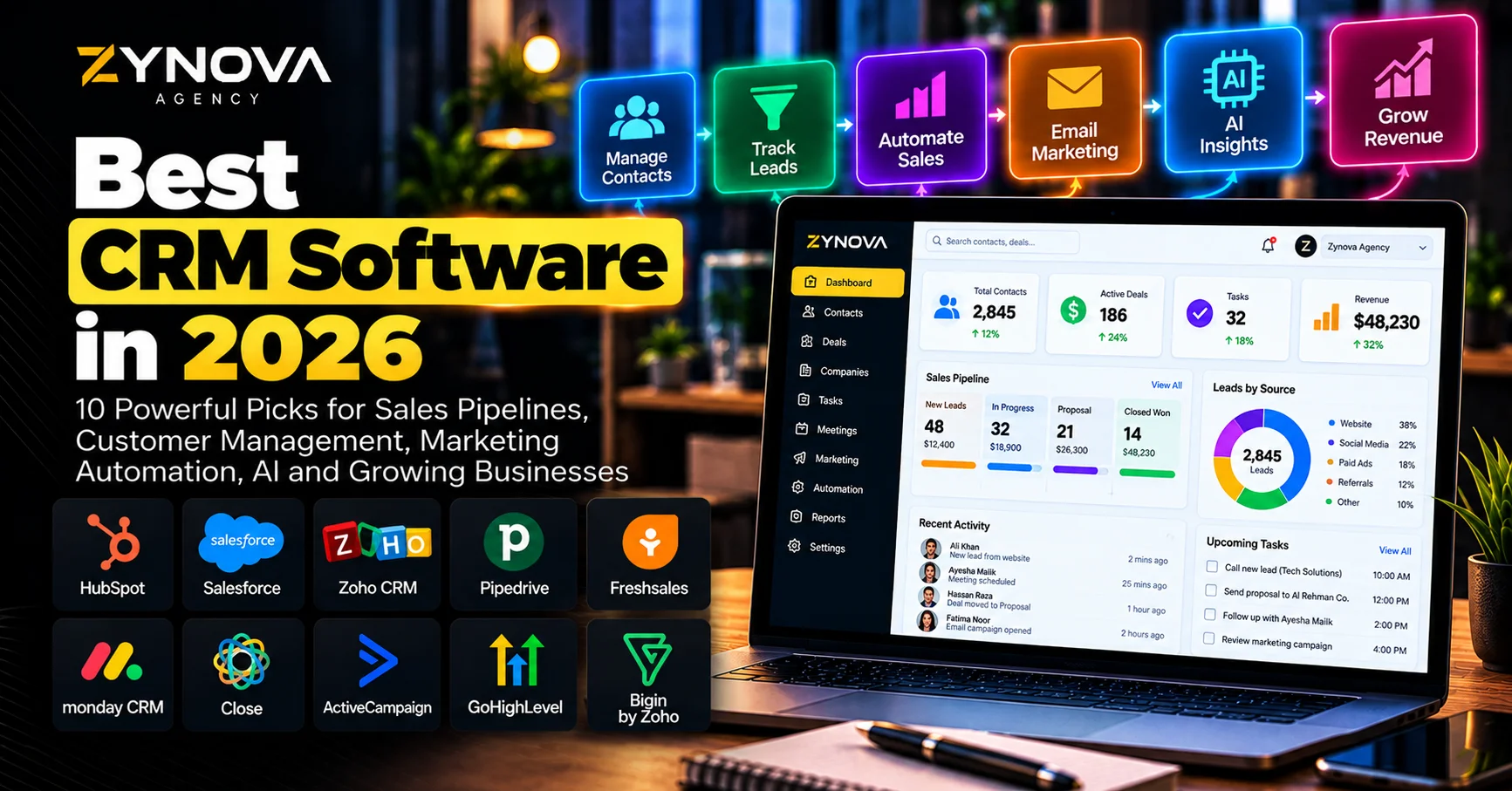
The best CRM software in 2026 does much more than store names, phone numbers and email addresses.
Modern CRM platforms can manage sales pipelines, track leads, automate follow-ups, connect marketing campaigns, analyze customer activity, forecast revenue and increasingly use AI agents to reduce repetitive sales work.
CRM has effectively become the central customer-data layer for many growing companies.
Salesforce describes modern CRM as a shared source of customer information across sales, marketing, commerce and service teams, while also highlighting AI-assisted lead qualification, follow-ups and forecasting as increasingly important CRM capabilities.
The challenge is choosing the right platform.
A small business with three salespeople does not need the same CRM architecture as a multinational company. A marketing-heavy company may prefer a platform tightly connected to email and automation, while a sales team may care more about a simple visual pipeline.
That is why the best CRM software should be compared by business use case rather than by the length of its feature list.
Best CRM Software at a Glance
| CRM | Best For | Main Strength |
|---|---|---|
| HubSpot CRM | Growing businesses | Sales, marketing and service in one ecosystem |
| Salesforce | Enterprise | Deep customization, scale and AI |
| Zoho CRM | Value | Broad functionality at competitive pricing |
| Pipedrive | Sales teams | Simple visual pipeline management |
| Freshsales | Small and mid-sized teams | Built-in communication and AI |
| monday CRM | Flexible teams | Customizable workflows and visual work management |
| Close | Inside sales | Calling, email and SMS built into CRM |
| ActiveCampaign | Marketing-led businesses | CRM plus advanced email automation |
| GoHighLevel | Agencies | CRM, funnels, automation and client management |
| Bigin by Zoho CRM | Very small businesses | Simple pipeline-focused CRM |
How We Chose the Best CRM Software
The best CRM software should make customer information easier to use, not create another administrative burden for employees.
We considered:
- Contact management
- Lead tracking
- Sales pipelines
- Automation
- Email integration
- Reporting
- AI capabilities
- Marketing features
- Customer-service integration
- Ease of use
- Customization
- Scalability
- Integrations
Adoption is particularly important.
A CRM with hundreds of advanced features provides little value if employees avoid using it.
G2’s 2026 CRM evaluation similarly emphasizes differences in customization, automation, integrations, pipeline usability and actual user adoption across leading platforms.
1. HubSpot CRM — Best for Growing Businesses
HubSpot is one of the strongest options for businesses that want CRM, marketing, sales and customer service connected around the same customer database.
The platform can manage contacts, companies, deals, tasks, communication and customer activity.
HubSpot is especially attractive because businesses can begin relatively simply and then add more advanced sales, marketing and service functionality as requirements grow.
Its ecosystem can support:
- Contact management
- Deal pipelines
- Email tracking
- Forms
- Marketing automation
- Customer service
- Reporting
- Meeting scheduling
- Sales workflows
- AI-assisted features
For a company already generating leads through its website, HubSpot can connect those leads directly to the sales process.
For example:
A visitor submits a form.
The contact enters the CRM.
The lead receives an automated email.
A salesperson gets a task.
The opportunity moves through the pipeline.
That connected journey is why HubSpot remains one of the best CRM software options for growing businesses.
HubSpot’s own 2026 CRM guidance emphasizes that cloud CRM platforms increasingly act as the operating system of a company’s revenue process rather than simply storing customer records.
Best for: growing businesses, B2B companies, inbound marketing, sales and customer service.
2. Salesforce — Best for Enterprise CRM
Salesforce remains one of the largest and most customizable CRM ecosystems.
Its strength becomes clearer when a company has complicated sales processes, several departments, large customer datasets or highly specific workflows.
Salesforce can support:
- Leads
- Accounts
- Contacts
- Opportunities
- Forecasting
- Service
- Marketing
- Commerce
- Automation
- Analytics
- AI agents
The platform is designed to scale from smaller teams into enterprise environments.
Its current CRM strategy also places major emphasis on AI and agentic workflows.
Salesforce says modern CRM systems can use AI agents to qualify leads, schedule follow-ups, identify promising opportunities and support forecasting.
That makes Salesforce one of the best CRM software options when customization and long-term scalability matter more than simplicity.
The main trade-off is complexity.
A smaller team may not need the configuration, administration and implementation effort that a large Salesforce deployment can require.
Best for: enterprises, complex sales organizations, large customer datasets and highly customized processes.
3. Zoho CRM — Best for Features at a Competitive Price
Zoho CRM is a strong option for businesses that want broad functionality without immediately moving into enterprise-level pricing.
It supports sales pipelines, contact management, automation, analytics and multichannel customer communication.
Zoho also benefits from being part of a wider business-software ecosystem.
Companies using other Zoho products can connect CRM information with accounting, support, email, analytics and other operational tools.
Zoho is frequently included in 2026 CRM comparisons alongside HubSpot, Salesforce and Pipedrive because it provides substantial customization while remaining accessible to smaller businesses.
This makes it one of the best CRM software options for companies that want significant functionality without paying immediately for a premium enterprise stack.
Best for: small and mid-sized companies, budget-conscious businesses and Zoho ecosystem users.
4. Pipedrive — Best for Visual Sales Pipelines
Pipedrive focuses strongly on sales.
Its interface is built around moving deals through a visual pipeline.
That simplicity is part of its appeal.
A salesperson can quickly see:
- New opportunities
- Current deal stages
- Activities
- Follow-ups
- Stalled deals
- Expected revenue
Pipedrive’s current CRM philosophy emphasizes the next actions that move opportunities through a pipeline rather than treating CRM primarily as static customer storage.
This makes it particularly useful for sales teams that do not need a massive marketing or service ecosystem.
Salesforce’s 2026 small-business CRM comparison similarly characterizes Pipedrive as focused on standalone deal tracking and straightforward pipeline reporting.
Pipedrive is one of the best CRM software options for teams that want employees to actually use the system without a long implementation process.
Best for: sales teams, agencies, consultants and businesses with straightforward deal pipelines.
5. Freshsales — Best for Built-In Communication
Freshsales is part of the Freshworks ecosystem.
Its CRM combines contact and deal management with communication features that can reduce the need for multiple separate sales tools.
Depending on plan and configuration, teams can work with email, phone, chat, pipelines and AI-assisted sales information inside the broader platform.
Salesforce’s 2026 small-business CRM comparison highlights Freshsales for multichannel engagement, including built-in phone, email and chat capabilities.
That can be particularly useful for businesses where salespeople spend much of the day communicating directly with leads.
Instead of constantly moving between the CRM, email client and phone software, more activity can remain connected to the customer record.
Freshsales is therefore one of the best CRM software options for small and mid-sized teams wanting communication and CRM in the same system.
Best for: SMB sales teams, multichannel communication and businesses wanting a relatively integrated sales workflow.
6. monday CRM — Best for Flexible Workflows
monday CRM builds on monday.com’s visual work-management approach.
Instead of forcing every company into one rigid sales process, teams can customize boards, stages, automations and views around the way they actually operate.
This can be useful when sales is closely connected to project management or service delivery.
A company might track:
Lead → proposal → closed deal → onboarding → project delivery
inside connected workflows.
That is especially valuable for agencies and professional-service companies.
Salesforce’s 2026 small-business CRM comparison identifies monday CRM as a useful option where task management and customizable workflows are important.
monday CRM is one of the best CRM software options when flexibility and visual work management matter more than highly specialized enterprise CRM functionality.
Best for: agencies, service companies, project-based businesses and customizable workflows.
7. Close — Best for Inside Sales Teams
Close is designed around high-activity sales teams.
Its major differentiator is that calling, email and SMS are integrated directly into the CRM.
That means an inside-sales representative can manage much of the outreach process from one environment.
G2’s 2026 CRM comparison highlights Close for teams wanting CRM combined with native calling, email and SMS functionality.
That makes it particularly useful for companies running:
- Outbound sales
- SDR teams
- Appointment setting
- High-volume follow-up
- Phone-based selling
A sales representative does not need to constantly move between separate tools simply to make a call, send an email and update a lead record.
Close is therefore one of the best CRM software platforms for inside-sales organizations.
Best for: SDR teams, outbound sales, calling-heavy teams and high-volume follow-up.
8. ActiveCampaign — Best for CRM + Marketing Automation
ActiveCampaign approaches CRM from a marketing-automation perspective.
Its strength lies in connecting customer data with automated email journeys and behavioral triggers.
This makes it useful for businesses where a lead may require several marketing interactions before becoming ready for sales.
For example:
A lead downloads a guide.
They enter an email sequence.
Their engagement is tracked.
The system detects stronger intent.
A sales opportunity is created.
A representative follows up.
This type of workflow can be more valuable than simply placing the lead into a CRM database immediately.
G2’s 2026 CRM comparison includes ActiveCampaign among leading options because of its combination of CRM and marketing automation.
ActiveCampaign is one of the best CRM software choices for companies where email automation is central to the sales process.
For more email-focused comparisons, see Zynova’s Best Email Marketing Platforms in 2026.
Best for: marketing-led businesses, lead nurturing, email automation and lifecycle campaigns.
9. GoHighLevel — Best CRM for Agencies
GoHighLevel is particularly popular with marketing agencies.
It combines CRM functionality with several tools agencies commonly need, including:
- Funnels
- Landing pages
- Forms
- Calendars
- Automation
- SMS
- Pipelines
- Client accounts
That reduces the need for agencies to assemble several separate systems for every client.
G2’s 2026 CRM comparison includes HighLevel among leading CRM platforms, particularly for teams wanting broader customer-acquisition functionality around the CRM.
An agency might use the platform to capture a lead from a landing page, move that lead into a sales pipeline, automate follow-up and schedule an appointment.
That makes GoHighLevel one of the best CRM software options for agencies and local-business marketing operations.
If funnels are a major part of your strategy, see Zynova’s Best Funnel Builders in 2026.
Best for: agencies, local-business marketing, funnels, appointments and automation.
10. Bigin by Zoho CRM — Best for Very Small Businesses
Not every company needs a full enterprise CRM.
Bigin is designed around simpler pipeline management for smaller teams.
Its focus is keeping customer information and sales opportunities organized without introducing unnecessary complexity.
Salesforce’s 2026 small-business comparison highlights Bigin by Zoho CRM as a lower-cost option centered around pipeline visualization.
This can make it useful for:
- Freelancers
- Small agencies
- Consultants
- Early-stage businesses
- Small sales teams
A company may eventually outgrow Bigin and move toward a more advanced CRM.
That is fine.
The best CRM software is not necessarily the platform you will use forever.
It should fit the business today while providing a reasonable path for future growth.
Best for: freelancers, very small companies and simple pipelines.
What Is CRM Software?
CRM stands for Customer Relationship Management.
A CRM system provides a central place to manage information about prospects and customers.
That information may include:
- Names
- Companies
- Email addresses
- Phone numbers
- Conversations
- Sales opportunities
- Tasks
- Meetings
- Quotes
- Purchases
- Support interactions
The larger purpose is to create a reliable view of the relationship between the business and each customer.
Salesforce describes CRM as a way to break down information silos and keep current customer information available across teams.
Without CRM, customer information often becomes scattered across spreadsheets, inboxes, WhatsApp conversations and employee notes.
That becomes increasingly difficult to manage as a company grows.
When Does a Business Need CRM Software?
A business may not need a CRM on day one.
A freelancer with five active customers might manage perfectly well with a spreadsheet.
The need becomes clearer when:
Leads are being forgotten.
Several employees contact the same customer.
Nobody knows the current deal status.
Sales information lives in personal inboxes.
Follow-ups are missed.
Reporting requires manually combining spreadsheets.
Customer history disappears when an employee leaves.
At that point, CRM becomes less about adding software and more about creating operational structure.
The best CRM software should make the sales process clearer rather than simply digitizing existing confusion.
CRM vs Lead Generation Software
Lead generation software helps find or capture potential customers.
CRM software manages what happens after those leads become part of your sales process.
For example:
Apollo might identify a prospect.
Clay might enrich the record.
Your website form might capture the person’s enquiry.
The CRM then stores the customer, tracks communication and moves the opportunity through the sales pipeline.
That is why these systems often work together.
For prospecting tools, see Zynova’s Best Lead Generation Software in 2026.
CRM and AI Automation Are Becoming Closely Connected
One of the biggest CRM changes in 2026 is the increasing role of AI.
AI can help CRM systems:
- Summarize customer records
- Draft follow-ups
- Qualify leads
- Score opportunities
- Forecast deals
- Prepare meeting briefs
- Update records
- Route enquiries
- Recommend next actions
Salesforce specifically emphasizes AI agents that can qualify incoming leads and automate follow-up activity.
But AI works best when customer data is accurate.
An AI assistant cannot produce reliable recommendations from duplicate contacts, missing deal information and outdated records.
That means good CRM hygiene becomes even more important as AI capabilities increase.
Businesses wanting to connect CRM with wider workflow automation can also read Zynova’s Best AI Automation Tools in 2026.
Which CRM Is Best for Small Businesses?
Small businesses should usually prioritize usability over maximum functionality.
HubSpot is attractive when sales, marketing and service need to work together.
Pipedrive is useful for straightforward sales pipelines.
Zoho CRM provides significant functionality at competitive pricing.
Freshsales can work well when built-in communication matters.
Bigin is appropriate when the company needs something particularly simple.
Salesforce can also serve smaller businesses through its Starter offerings, but businesses should consider whether they actually require the broader Salesforce ecosystem.
The best CRM software is the system employees will consistently maintain.
Which CRM Is Best for Sales Teams?
Pipedrive and Close are particularly sales-focused.
Pipedrive provides a clear visual pipeline.
Close combines CRM with calling, email and SMS.
Salesforce becomes stronger when the sales process is highly customized.
HubSpot works well when sales needs to collaborate closely with marketing.
The right decision depends on how the team actually sells.
Do representatives make many calls?
Do leads come mainly from inbound marketing?
Are sales cycles long?
Do managers need complex forecasting?
Answer those questions before comparing feature lists.
Which CRM Is Best for Marketing?
HubSpot and ActiveCampaign are particularly relevant for marketing-heavy businesses.
HubSpot connects CRM records with forms, email campaigns, automation and broader marketing activities.
ActiveCampaign is particularly strong when email automation and behavioral journeys are central.
GoHighLevel can also be relevant for agencies running marketing funnels for clients.
If your company is building a wider marketing stack, see Zynova’s Best AI Marketing Tools in 2026.
Which CRM Is Best for Enterprise Businesses?
Salesforce remains one of the most important enterprise CRM options because of its scale, customization and ecosystem.
Larger companies may require:
- Complex permissions
- Custom objects
- Multiple sales processes
- Large integration ecosystems
- Advanced forecasting
- Service operations
- Marketing integration
- Governance
- Large datasets
Those requirements make implementation quality as important as the CRM license itself.
Salesforce notes that total CRM cost can include implementation, customization, migration, integrations and employee training—not only the monthly subscription price.
Enterprise buyers should calculate total cost of ownership rather than comparing only per-user pricing.
Do Not Choose CRM Software Only by Price
A CRM that costs less per user may still become more expensive if employees dislike using it.
Consider:
Subscription cost.
Implementation.
Data migration.
Training.
Integrations.
Customization.
Administration.
Automation limits.
Marketing contacts.
Storage.
Additional products.
These costs can be significant.
The best CRM software provides value relative to the complete cost of ownership.
A more expensive platform may be justified if it reduces manual work or prevents valuable opportunities from being lost.
CRM Data Quality Matters
A CRM is only as useful as the information inside it.
Duplicate contacts, outdated email addresses and incomplete deal records reduce the value of reporting and automation.
Create clear rules around:
Who creates contacts?
Which fields are required?
How are duplicate records handled?
When should deals be closed?
Who owns each lead?
What information must be recorded?
This becomes even more important with AI.
AI systems use CRM data as context.
Poor input data creates poor automated recommendations.
Connect Your CRM to the Rest of the Business
CRM becomes more valuable when it connects to other systems.
A strong customer workflow might look like:
Website → Form → CRM → Lead Qualification → Email → Sales Follow-Up → Proposal → Customer
Automation can reduce manual work between these stages.
For example, a new enquiry can automatically enter the CRM, be assigned to the correct representative and trigger a task.
Businesses building these connected systems can explore Zynova Agency’s AI automation services.
More specialized requirements may need custom software development rather than forcing every business process into an off-the-shelf CRM.
Avoid Over-Customizing the CRM Too Early
Customization can be useful.
Too much customization can also make software difficult to maintain.
New businesses sometimes try to reproduce every spreadsheet column and every existing process inside their new CRM.
That may simply transfer old inefficiencies into a more expensive system.
Start with the core process:
Lead.
Qualified opportunity.
Proposal.
Negotiation.
Won or lost.
Then add fields and automation only when the business actually needs them.
The best CRM software should make the process simpler.
Migrate CRM Data Carefully
Changing CRM systems can become painful if data is not prepared properly.
Before migration:
Remove duplicates.
Standardize fields.
Archive unnecessary records.
Map old fields to new ones.
Verify customer ownership.
Back up exports.
Test with a smaller dataset.
Check automation after migration.
Do not assume an import that completed successfully also produced correct information.
Test contacts, deals, activities and reports before fully switching systems.
Build a Simple CRM Stack
Many businesses do not need a complicated software architecture.
A practical B2B stack might include:
Lead generation: Apollo or another prospecting platform.
CRM: HubSpot, Pipedrive or Zoho.
Email marketing: Your CRM’s native tools or a dedicated platform.
Automation: Zapier, Make or n8n.
Website: WordPress or another professional platform.
This provides a clear separation of responsibilities.
Do not add software simply because another company uses it.
Add a tool when it removes a genuine bottleneck.
Which of the Best CRM Software Platforms Should You Choose?
There is no universal winner among the best CRM software platforms.
Choose HubSpot if you want CRM connected closely with marketing, sales and service.
Choose Salesforce when enterprise customization and scale matter most.
Choose Zoho CRM when you want broad functionality at competitive pricing.
Choose Pipedrive for straightforward visual sales pipelines.
Choose Freshsales when built-in communication is important.
Choose monday CRM for flexible workflows.
Choose Close for high-activity inside sales.
Choose ActiveCampaign for marketing automation and CRM together.
Choose GoHighLevel if you operate a marketing agency.
Choose Bigin when your business needs a simpler CRM.
The best choice is the system that fits how your team actually works.
If your business needs a customized CRM workflow, CRM integration or a purpose-built customer-management system, contact Zynova Agency to discuss the workflow you need.
Frequently Asked Questions
What is the best CRM software in 2026?
Some of the best CRM software options include HubSpot, Salesforce, Zoho CRM, Pipedrive, Freshsales, monday CRM, Close, ActiveCampaign, GoHighLevel and Bigin. The right platform depends on team size, sales process, budget and required integrations.
What is the best CRM software for small businesses?
HubSpot, Pipedrive, Zoho CRM, Freshsales and Bigin are all relevant options for small businesses. The right choice depends on whether the company prioritizes simplicity, marketing, communication or customization.
What is the best free CRM?
Several CRM providers offer free or limited free options, including HubSpot and some Zoho products. Salesforce also introduced a Free Suite offering in 2026. Always verify current limits before choosing a CRM based solely on the free tier.
What is the easiest CRM to use?
Pipedrive and Bigin are particularly focused on simple pipeline management, while HubSpot also provides a relatively accessible starting point for smaller teams.
What CRM is best for enterprise companies?
Salesforce is especially relevant to larger organizations requiring deep customization, complex processes, AI, integrations and scalability.
What is CRM software used for?
CRM software manages customer and prospect information, sales opportunities, communication, tasks, follow-ups, reporting and other activities related to customer relationships.
Can CRM software automate follow-ups?
Yes. Modern CRM systems can automate tasks, email sequences, lead routing, reminders and other sales or marketing workflows. AI capabilities are also increasingly being used for qualification, summaries and recommended next actions.
Do I need CRM software if I already use spreadsheets?
A spreadsheet may be enough for a very small customer base. CRM becomes more useful when multiple employees manage leads, follow-ups are being missed or customer information becomes difficult to track reliably.