
Best Project Management Software: 10 Powerful Picks for 2026
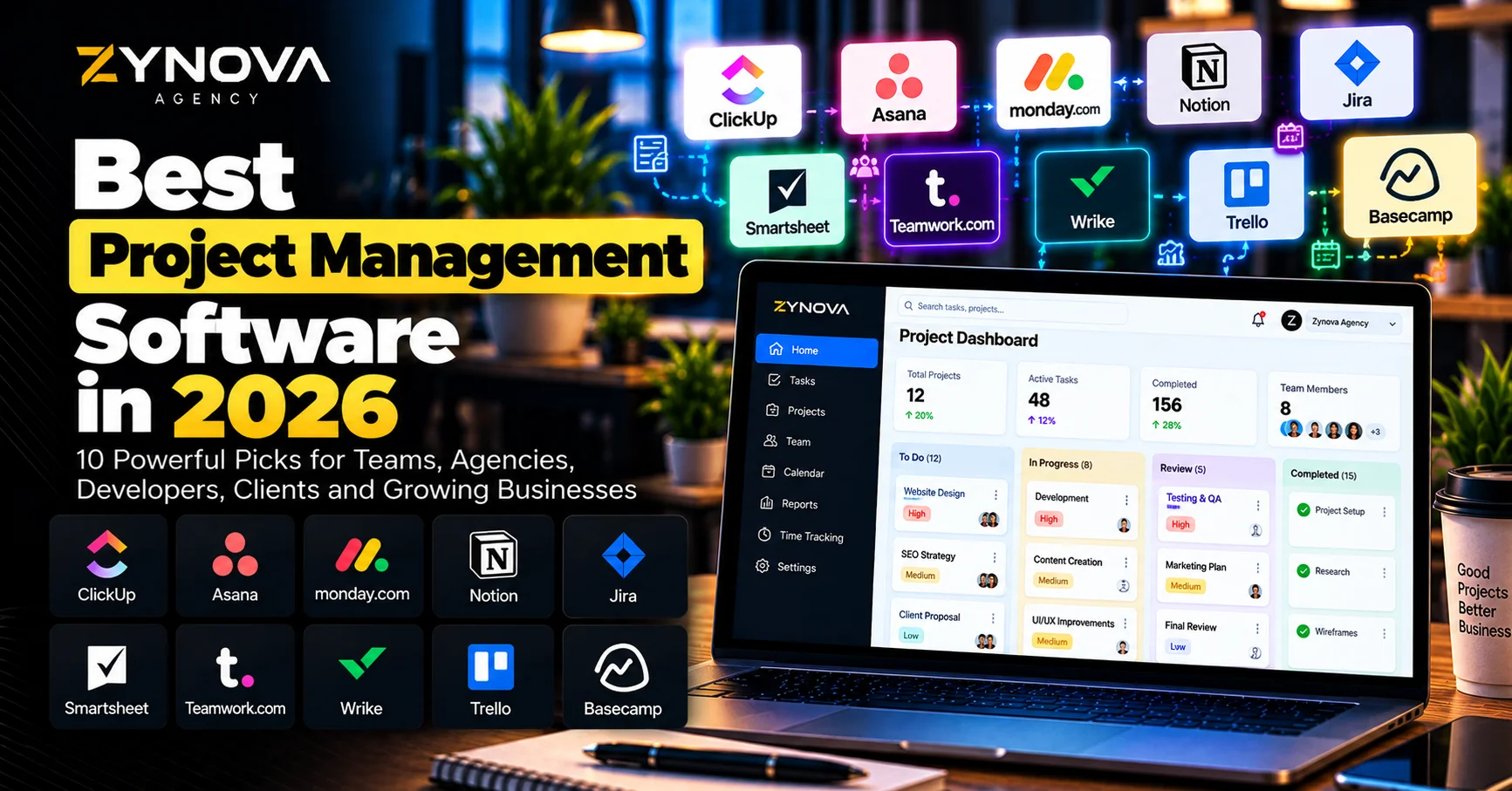
The best project management software in 2026 does much more than organize tasks and deadlines.
Modern platforms can plan projects, assign responsibilities, manage resources, track budgets, automate repetitive work, summarize activity, identify risks and increasingly use AI agents to complete parts of the coordination work themselves.
AI is becoming a major part of project management. In Smartsheet’s 2026 survey of more than 1,600 project and portfolio leaders, 97% said they were experimenting with AI, while only 46% said they trusted AI to act without human supervision. That gap shows where project management is heading: more automation, but still with clear human oversight.
The challenge is choosing the right platform.
A five-person creative agency does not need the same system as a global engineering organization. A software development team may care about sprints and issue tracking, while a client-service agency may care more about profitability, time tracking and project communication.
That is why the best project management software should be selected according to how your team actually works.
Here are 10 strong options for 2026.
Best Project Management Software at a Glance
| Platform | Best For | Main Strength |
|---|---|---|
| ClickUp | All-in-one work management | Projects, docs, chat, automation and AI |
| Asana | Cross-functional teams | Structured workflows and AI-assisted coordination |
| monday.com | Flexible businesses | Custom workflows, dashboards and AI agents |
| Notion | Knowledge + projects | Docs, databases and project management together |
| Jira | Software development | Agile, issues, engineering workflows and agents |
| Smartsheet | Enterprise project management | Portfolios, reporting, automation and governance |
| Teamwork.com | Agencies and client work | Projects, time, profitability and client delivery |
| Wrike | Enterprise workflows | Resource planning, approvals and AI automation |
| Trello | Simple visual projects | Easy boards, cards and lightweight collaboration |
| Basecamp | Simple team coordination | Projects, communication and straightforward organization |
How We Chose the Best Project Management Software
The best project management software should make work easier to understand.
It should answer practical questions such as:
What needs to happen next?
Who owns the task?
What is late?
Which project is at risk?
Does the team have enough capacity?
What changed since yesterday?
Are client projects profitable?
Which dependencies are blocking progress?
We considered task management, project views, automation, AI, collaboration, resource management, reporting, integrations, client work and overall usability.
AI capabilities now matter as well, but they should not be the only reason to choose a platform.
A strong project system still needs reliable task ownership, deadlines, permissions, reporting and workflows even when the AI layer is switched off.
1. ClickUp — Best All-in-One Project Management Platform
ClickUp is designed around bringing multiple types of work into one environment.
Its current project-management platform combines projects, tasks, docs and chat while using AI throughout the project lifecycle. ClickUp says its AI can help generate project plans, handle status updates, capture tasks from discussions and retrieve project information across connected tools.
This all-in-one approach is particularly useful for teams that currently manage work across several separate applications.
For example, one company might keep project plans in one system, internal documentation somewhere else and discussions in another messaging application.
ClickUp tries to reduce that fragmentation.
Its newer Brain² system, launched in June 2026, expands the platform’s AI capabilities around project management, research, documents and other knowledge work.
ClickUp can support:
- Tasks and subtasks
- Dependencies
- Multiple project views
- Docs
- Chat
- Goals
- Dashboards
- Automations
- Time tracking
- AI-assisted project work
That makes ClickUp one of the best project management software choices for teams that want broad functionality without building their workflow from several unrelated tools.
The trade-off is complexity.
Because ClickUp can do so much, teams should configure only the features they genuinely need rather than enabling everything immediately.
Best for: agencies, startups, operations teams, marketing teams and businesses wanting an all-in-one workspace.
2. Asana — Best for Structured Cross-Functional Work
Asana is particularly strong when work moves across multiple teams.
Marketing might create the campaign.
Design produces the assets.
Legal approves the copy.
Sales prepares follow-up.
Leadership wants progress reports.
Without a shared system, those handoffs can become difficult to track.
Asana’s current AI Studio lets teams build no-code automations for intake, classification, routing, alerts and reporting. It can also flag risks or blockers before they become larger problems.
Asana can support projects through:
- Tasks
- Subtasks
- Dependencies
- Project templates
- Portfolios
- Goals
- Forms
- Workload management
- Rules
- Reporting
Its AI capabilities are increasingly connected to the underlying work rather than operating as a separate chatbot.
Asana Dash can surface priorities across projects, meetings, email and goals, while AI Studio can automate structured project workflows.
This makes Asana one of the best project management software options for organizations that need clearer coordination between departments.
Best for: marketing, operations, product teams, cross-functional organizations and structured workflows.
3. monday.com — Best for Flexible Business Workflows
monday.com has evolved beyond traditional project boards.
In May 2026, the company announced that it was repositioning itself as an AI Work Platform, with AI agents designed to work alongside employees inside existing workflows, permissions and business data.
The platform remains highly visual.
Teams can build boards around:
- Projects
- Sales
- Marketing
- Operations
- Recruitment
- Product development
- Customer work
The advantage is flexibility.
One company can create a simple campaign tracker while another builds a more complicated operations workflow with automations and dashboards.
monday’s AI can also work with boards, docs and workflows, summarize information and take actions within the platform.
The new direction toward configurable AI agents makes monday.com particularly interesting for organizations that want automation without immediately building custom software.
That makes monday.com one of the best project management software choices for companies that want to tailor the system around their existing processes.
Best for: operations teams, agencies, marketing, HR and flexible business workflows.
4. Notion — Best for Projects and Knowledge in One Place
Notion is different from many traditional project-management platforms because documentation and project work exist inside the same workspace.
A project can contain:
Tasks.
Meeting notes.
Research.
Specifications.
Databases.
Decisions.
Documentation.
That reduces the problem of project information being scattered across several systems.
Notion’s project-management environment supports tasks, subtasks, timelines, dependencies, database views, progress tracking and integrations with other tools.
Its AI layer becomes particularly useful because it can work with the context contained inside the workspace.
Notion says its AI project-management approach can use connected docs, tasks, decisions and meeting notes to generate summaries and insights based on the actual work.
This can be useful for startups and knowledge-heavy teams.
A product specification can sit next to the project plan.
Meeting notes can remain connected to decisions.
The roadmap can link directly to individual project tasks.
Notion is therefore one of the best project management software choices when knowledge management is as important as task tracking.
Best for: startups, content teams, product teams, knowledge work and documentation-heavy organizations.
5. Jira — Best for Software Development Teams
Jira remains one of the most important tools for software-development project management.
Its strengths include:
- Issues
- Backlogs
- Sprints
- Epics
- Agile boards
- Releases
- Development workflows
- Engineering integrations
In 2026, Jira has also moved significantly toward AI-native project work.
Atlassian’s Summer 2026 release introduced more proactive AI agents designed to surface insights, create updates and handle recurring coordination work.
Jira’s Rovo-powered AI capabilities can work with the broader context stored in Atlassian’s Teamwork Graph and allow teams to assign certain types of work directly to agents.
This makes Jira particularly useful when project management is tightly connected to software development.
A normal marketing team may find Jira more technical than necessary.
For engineering organizations managing releases, bugs and development workflows, that depth is a major advantage.
Jira is therefore one of the best project management software choices for developers and technical teams.
Best for: software development, engineering, Agile teams, Scrum and issue tracking.
6. Smartsheet — Best for Enterprise Project and Portfolio Management
Smartsheet combines spreadsheet-style familiarity with project, portfolio and workflow-management capabilities.
It is particularly useful for organizations managing many projects, reporting structures and stakeholders.
Its current AI project-management platform includes Smart Agents, Smart Flows, Smart Columns and AI-based data analysis. These tools can help teams surface risks, automate processes and create project insights from live data.
Smartsheet also introduced AI workspace creation in 2026.
Users can describe a project in natural language and generate structured workspaces containing sheets, dashboards, reports, forms and automations.
In September 2026, Smartsheet expanded this further through its MCP server, allowing supported AI assistants such as ChatGPT, Claude, Copilot and Gemini to create structured Smartsheet projects.
This direction makes Smartsheet one of the best project management software options for larger companies that want project management, reporting and governance together.
Best for: PMOs, enterprises, portfolio management, reporting and complex operational programs.
7. Teamwork.com — Best for Agencies and Client Projects
Teamwork.com is particularly focused on businesses that deliver projects for clients.
That distinction matters.
An internal project team may care mainly about completing tasks.
An agency also needs to know:
How many hours were spent?
Is the project profitable?
Is the team over capacity?
What should the client be told?
How much work remains?
Teamwork.com’s project-management system combines client projects with time tracking, planning, profitability and resource-management functionality.
Its AI capabilities expanded significantly during 2026.
TeamworkAI includes role-based AI Teammates that can summarize project activity, generate updates and help teams understand project status using live workspace information.
Its AI Project Wizard can also transform client briefs into structured projects and task lists.
That makes Teamwork.com one of the best project management software choices for agencies and professional-service companies.
Best for: agencies, client work, professional services, time tracking and project profitability.
8. Wrike — Best for Enterprise Workflow Management
Wrike combines project management with resource planning, approvals, reporting and customizable enterprise workflows.
The platform supports areas such as:
- Projects and tasks
- Resource planning
- Dynamic request forms
- Approvals
- Proofing
- Time tracking
- Automations
- Dashboards
- Reports
- Custom work types
Wrike’s current platform also includes generative AI, Copilot and AI agents that can validate requests, route work, assign owners, update statuses and produce reports.
Its AI works with the company’s Work Intelligence Graph so that automation can use live project context while following existing permissions.
This makes Wrike particularly relevant when the project-management problem is larger than simple task lists.
Enterprise organizations may need controlled intake, approval chains, resource management and reporting across several departments.
Wrike is one of the best project management software choices for those more structured environments.
Best for: enterprises, PMOs, marketing operations, professional services and complex workflows.
9. Trello — Best for Simple Visual Project Management
Trello remains one of the easiest project-management systems to understand.
The basic model is:
Board → List → Card
A project might use columns such as:
To Do → In Progress → Review → Done
Tasks are moved through the workflow visually.
This makes Trello particularly useful for smaller teams and simpler projects.
Atlassian also expanded Trello’s AI functionality in July 2026.
New capabilities include generating boards with AI, merging related cards and creating AI-generated checklists from card information.
Trello also introduced an MCP server in 2026, allowing supported AI assistants to work with boards, lists, cards and checklists through natural-language requests.
That gives Trello considerably more automation potential while retaining its simple visual interface.
Trello is one of the best project management software choices when ease of use matters more than advanced portfolio management.
Best for: small teams, personal projects, content calendars and lightweight project workflows.
10. Basecamp — Best for Simple Team Coordination
Basecamp has always emphasized simplicity.
Instead of trying to provide every advanced project-management feature, it focuses on helping teams organize projects and communication without excessive complexity.
Basecamp 5 launched for 2026 with more than 100 significant improvements, including an updated home experience, subtasks and broader usability changes.
Basecamp is attractive to teams that do not want to spend weeks configuring their project-management system.
The broader philosophy is to give a project one organized place for its work and communication.
That can be particularly useful for:
Small businesses.
Agencies.
Creative teams.
Remote teams.
Client projects.
Basecamp may not provide the same advanced resource management or AI-agent capabilities as some newer platforms.
But simplicity can be a feature.
For teams that mainly need everyone to know what is happening without building complicated workflows, Basecamp remains one of the best project management software options.
Best for: small businesses, remote teams and organizations prioritizing simplicity.
Which Project Management Software Is Best for Small Businesses?
Small businesses should usually prioritize simplicity and adoption.
ClickUp can work well when the business wants many capabilities inside one platform.
Trello is useful when the project structure is simple.
Notion works well when project information and documentation need to live together.
monday.com provides more customization when workflows vary between teams.
Basecamp is attractive when the company wants straightforward project organization without constantly configuring the system.
The best project management software for a small business is the one employees will actually update.
A sophisticated system with incomplete information is less useful than a simple system the whole team consistently uses.
Which Project Management Software Is Best for Agencies?
Agencies have additional requirements that normal internal teams may not have.
They often need:
Client projects.
Time tracking.
Resource planning.
Project profitability.
External collaboration.
Approvals.
Team workload.
Teamwork.com is particularly focused on client-service organizations.
ClickUp can also be a strong choice for agencies wanting customizable project workflows.
monday.com provides flexibility for creative and marketing operations.
Wrike becomes more relevant to larger agencies with structured approvals and resource management.
If your agency also wants to automate repetitive project work, see Zynova’s guide to the best AI automation tools in 2026.
Which Project Management Software Is Best for Developers?
Jira is one of the strongest choices when project management revolves around software engineering.
It is designed around backlogs, issues, sprints and releases.
ClickUp can also support software-development workflows while providing broader project and documentation functionality.
Notion can be useful for product specifications and roadmaps but may not replace specialized issue tracking for larger engineering teams.
The right choice depends on how formal the development process needs to be.
Which Project Management Software Is Best for Enterprise Teams?
Smartsheet, Wrike, Jira, Asana and monday.com all have strong enterprise use cases.
Enterprise buyers should consider more than task-management features.
Important questions include:
Can permissions be controlled?
Can portfolios be managed?
Can resources be planned across departments?
Does the platform support SSO?
Can activity be audited?
Can workflows be standardized?
Can AI actions be governed?
Can the system integrate with enterprise applications?
These requirements can matter more than which product has the nicest task board.
AI Is Changing Project Management in 2026
AI is becoming one of the biggest differences between project-management platforms.
It can now help:
Generate project plans.
Summarize updates.
Create tasks.
Identify risks.
Prepare reports.
Route incoming requests.
Suggest priorities.
Plan workloads.
Create status updates.
Search project information.
Coordinate routine workflow actions.
Smartsheet’s 2026 research found widespread AI experimentation among project and portfolio professionals, but also a large trust gap around fully autonomous actions.
That is an important point.
AI should not automatically control every project decision.
A system may safely summarize a status update.
Changing a major deadline, budget or customer commitment may require human approval.
The best project management software should therefore combine AI productivity with appropriate controls.
Project Management Software vs AI Automation
Project-management software organizes the work.
Automation helps move information or actions between systems.
The two increasingly overlap.
For example:
A new client closes in your CRM.
An automation creates a project.
The correct template is applied.
Tasks are assigned.
A Slack or email notification is sent.
The project manager receives a briefing.
That is more powerful than manually creating the same project structure every time.
If your business has workflows like this, Zynova’s AI automation services can help connect project management with CRM, forms, email and other business systems.
For platforms that can build those connections, see the best AI automation tools comparison.
Project Management Software and CRM Are Not the Same
Project management and CRM are related but solve different problems.
CRM generally tracks:
Leads.
Contacts.
Companies.
Deals.
Customer relationships.
Project-management software tracks:
Tasks.
Projects.
Deadlines.
Deliverables.
Resources.
Execution.
A business might close a deal inside HubSpot and then create the delivery project inside ClickUp or Teamwork.com.
That separation can work extremely well.
If you are still choosing the customer-management side of your system, see Zynova’s best CRM software in 2026 comparison.
Avoid Project Management Tool Overload
Project-management software should reduce fragmentation.
It should not create more of it.
Some businesses use one tool for tasks, another for documents, another for roadmaps, another for communication and several spreadsheets for reporting.
Employees then spend more time updating systems than completing work.
Before buying another tool, ask whether an existing platform can already solve the problem.
The best project management software should become a reliable source of project information.
If employees constantly need to ask:
“Where is the latest version?”
“Who owns this?”
“When is this due?”
“Was this approved?”
then the workflow probably needs improvement.
Do Not Over-Automate the Workflow
Automation is useful when the process is predictable.
For example:
When a task reaches review, notify the reviewer.
When a project becomes overdue, alert the manager.
When a client approves the proposal, create the onboarding project.
Those are logical automations.
Problems begin when companies automate every decision before understanding the process.
Start with repetitive administration.
Keep important judgment with people.
Then gradually automate more after the workflow has proven reliable.
Build Templates for Repeated Projects
Templates are one of the easiest ways to improve project consistency.
An agency might create templates for:
Website projects.
SEO campaigns.
Social-media onboarding.
Software implementations.
Video production.
Instead of recreating tasks every time, a new project can begin with the same proven structure.
The project manager then adjusts only what is unique.
Many of the best project management software platforms support reusable project templates or blueprints.
This reduces setup time and helps prevent important tasks from being forgotten.
Track Workload, Not Only Deadlines
A project can be perfectly planned and still fail because the team does not have enough capacity.
Imagine assigning five projects to the same designer with the same deadline.
Every individual task may look reasonable.
The combined workload is not.
Larger teams should therefore evaluate resource-management functionality carefully.
Asana, Smartsheet, Wrike, monday.com and Teamwork.com provide different approaches to workload and resource planning.
For client businesses, capacity planning also affects profitability.
A project that appears financially attractive may become unprofitable if the team spends twice the expected number of hours.
Reporting Should Help People Make Decisions
Project dashboards can contain dozens of charts.
That does not automatically make them useful.
Good reporting should answer practical questions:
Which projects are late?
Where are the bottlenecks?
Which teams are overloaded?
Which clients require attention?
Which projects are losing money?
What changed this week?
What needs management approval?
AI can increasingly summarize those answers automatically.
But the underlying project data still needs to be accurate.
No reporting system can reliably explain a project that employees never update.
Which of the Best Project Management Software Should You Choose?
There is no universal winner among the best project management software platforms.
Choose ClickUp when you want projects, docs, communication and AI inside a broad all-in-one workspace.
Choose Asana for structured cross-functional workflows.
Choose monday.com when flexibility and customizable business processes matter.
Choose Notion when projects and knowledge should live together.
Choose Jira for software-development and engineering teams.
Choose Smartsheet for enterprise project and portfolio management.
Choose Teamwork.com for agencies and client-service businesses.
Choose Wrike for enterprise workflow, resource planning and approvals.
Choose Trello when simple visual project management is enough.
Choose Basecamp when straightforward team coordination is more important than advanced functionality.
The right platform is the one that gives your team clearer ownership, less manual coordination and better visibility into the work that actually matters.
If off-the-shelf project-management software cannot match your processes, Zynova Agency also provides custom software development for specialized operational systems.
Or contact Zynova Agency to discuss the workflow you need to improve.
Frequently Asked Questions
What is the best project management software in 2026?
Some of the best project management software platforms in 2026 include ClickUp, Asana, monday.com, Notion, Jira, Smartsheet, Teamwork.com, Wrike, Trello and Basecamp. The right choice depends on team size, workflow complexity and the type of projects being managed.
What is the best project management software for small businesses?
ClickUp, Trello, Notion, monday.com and Basecamp are all relevant options for smaller businesses. Teams should prioritize ease of use and avoid paying for enterprise functionality they will not use.
What is the best project management software for agencies?
Teamwork.com is particularly focused on client projects, time tracking, resourcing and profitability. ClickUp, monday.com and Wrike are also relevant depending on agency size and workflow complexity.
What is the best project management software for developers?
Jira is particularly strong for software-development teams because it supports issues, backlogs, sprints, releases and engineering workflows.
What is the easiest project management software to use?
Trello and Basecamp are among the simpler options. They provide straightforward project structures without requiring extensive configuration.
Which project management software has the best AI features?
ClickUp, Asana, monday.com, Jira, Smartsheet and Wrike have all expanded significantly into AI-assisted project management and agentic workflows during 2026. The most useful choice depends on whether your priority is automation, reporting, planning, search or project execution.
Can AI replace project managers?
AI can automate administrative work, summarize information and identify potential risks, but human judgment remains important for stakeholder relationships, trade-offs and high-impact decisions. Smartsheet’s 2026 survey found broad AI use among project-management professionals but much lower trust in fully autonomous actions.
Do small teams need project management software?
Not always. A very small team may initially manage work using simple task lists. Dedicated software becomes more useful when deadlines, dependencies, multiple projects and responsibilities become difficult to track reliably.