
POS Inventory Management for Small Business: 9 Essential Features (2026)
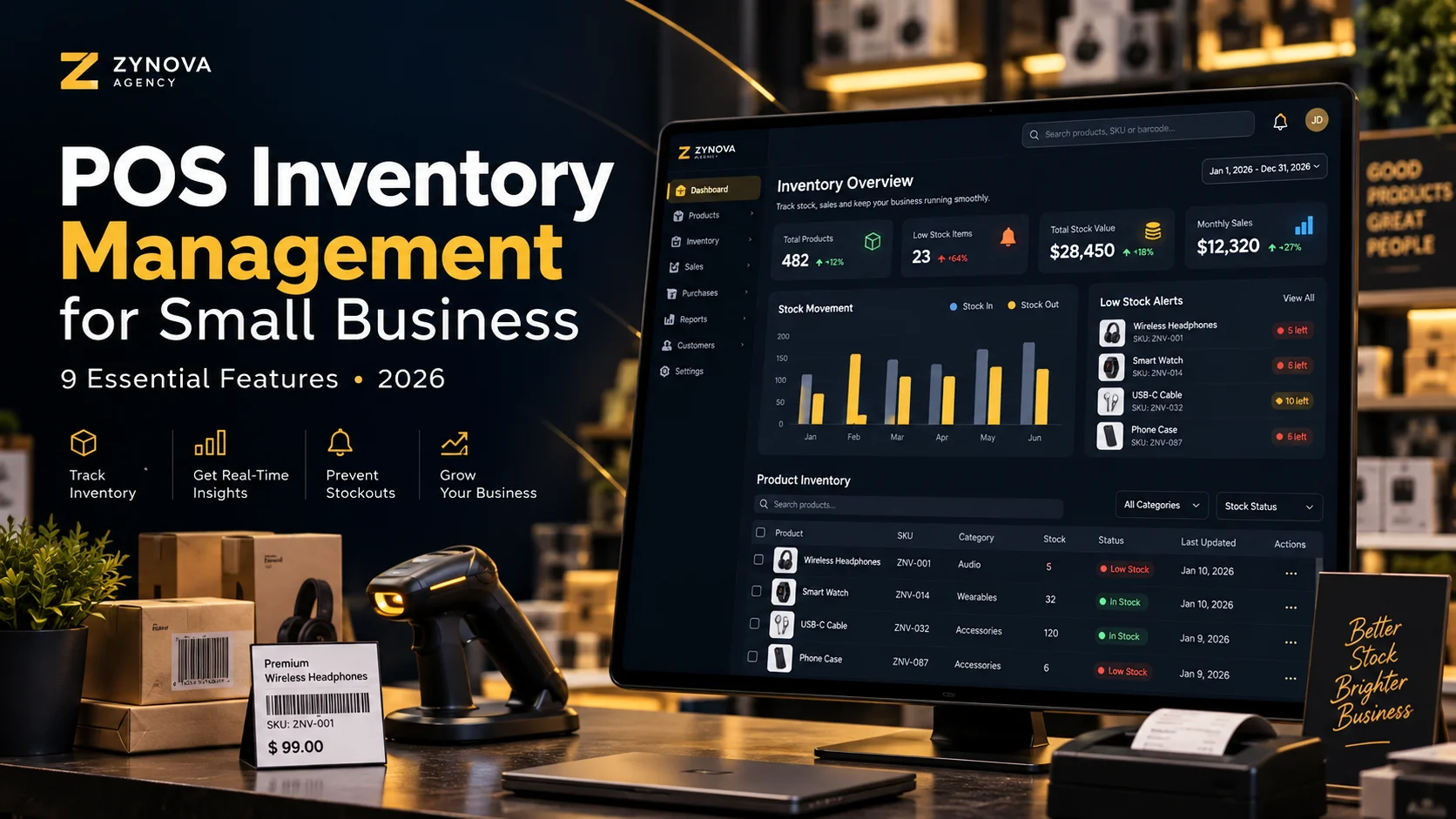
POS inventory management for small business is one of the most important parts of a reliable point-of-sale setup. A good system should do more than show a stock number. It should explain what was sold, purchased, returned, transferred, adjusted, or wasted so the owner can understand why inventory changed.
For growing shops, restaurants, pharmacies, workshops, and other small businesses, better inventory control can reduce manual counting, prevent avoidable stockouts, and make daily decisions easier.
What Is POS Inventory Management?
POS inventory management connects sales activity with stock records. When a product is sold, returned, purchased, or adjusted, the inventory record should update accordingly.
Instead of managing billing in one place and stock in another, the business gets one connected workflow.
9 Essential POS Inventory Management Features for Small Business
1. Automatic Stock Deduction After Sales
When a cashier completes a sale, the system should reduce the sold quantity automatically. This removes the need to update stock manually after every transaction.
For example, if a shop has 25 units of an item and sells 3, the available stock should become 22 immediately.
2. Purchase Receiving
Inventory does not only go out. New stock also comes in from suppliers.
A practical POS inventory management for small business workflow should let staff record a purchase, select the supplier, add quantities, and increase stock through that purchase record.
3. Low-Stock Alerts
The owner should not discover a stock problem only when a customer asks for an item that is unavailable.
Low-stock alerts can help identify products that are approaching a reorder level, giving the business time to purchase more before the shelf is empty.
4. Returns That Update Inventory Correctly
A customer return can affect both money and stock. If an item is returned in sellable condition, the quantity may need to go back into inventory.
If it is damaged, the system may need a different adjustment instead of treating it as normal available stock.
5. Stock Adjustment History
Sometimes inventory changes outside a sale or purchase. Products can be damaged, lost, counted incorrectly, or used internally.
The system should allow controlled stock adjustments with a reason and user history. This creates a clearer audit trail than simply editing the number.
6. Product and Category Reports
Owners should be able to see which products sell quickly, which categories generate activity, and which items remain in stock for too long.
This makes POS inventory management for small business useful for decisions, not just record keeping.
7. Branch-Level Inventory
If the business has more than one location, each branch should keep its own stock quantity.
The same product may have 50 units in one branch and only 5 in another. A multi-location system should show both the company total and the quantity available at each branch.
For more detail, see our guide to a multi-branch POS system in Pakistan.
8. Stock Transfer Tracking
When items move from one branch to another, the movement should be recorded as a transfer rather than a manual adjustment.
A proper transfer record can show the source branch, destination branch, items, quantities, date, and responsible user.
9. Inventory Reports for the Owner
Useful inventory reports should answer simple business questions such as:
- What is currently in stock?
- Which products are low?
- What was purchased this week?
- What was sold today?
- What was returned?
- Which items were adjusted?
- Which branch has the most stock?
Why Manual Inventory Becomes Difficult as a Business Grows
A notebook or spreadsheet can work when a business has only a few products. The problem appears when the number of products, staff members, suppliers, customers, and branches increases.
Manual inventory can create duplicated work because someone records the sale first and then updates stock later. If the second step is forgotten, the stock report becomes inaccurate.
A connected POS reduces this gap by making the transaction itself update inventory.
Why POS Inventory Management for Small Business Matters in 2026
POS inventory management for small business helps owners connect sales, purchases, returns, and stock adjustments in one workflow. This makes it easier to understand why stock levels change during the day.
For growing retailers and service businesses, POS inventory management for small business can reduce repeated manual entries and make low-stock decisions faster.
A reliable POS inventory management for small business setup should also keep product identification consistent. Businesses that use barcodes can review the GS1 barcode standards for globally recognized product-identification guidance.
When comparing systems, POS inventory management for small business should be judged by accuracy, ease of use, clear stock history, and useful reporting rather than by the number of features on a sales page.
POS Inventory Management for Different Business Types
Different industries need different inventory rules.
- Retail stores: barcode products, variants, purchases, returns, and low-stock alerts.
- Restaurants: ingredients, wastage, menu items, and kitchen-related stock movement.
- Pharmacies: product stock, batches, expiry dates, and supplier records.
- Workshops: spare parts, job-related consumption, and customer billing.
- Hotels: consumables, room-related items, and departmental stock.
This is why industry-specific POS software can be more useful than forcing every business into the same inventory model.
A Simple Inventory Checklist Before Choosing a POS
Before buying a system, test these tasks yourself:
- Create a new product.
- Receive stock from a supplier.
- Sell part of that stock.
- Process a return.
- Make one stock adjustment with a reason.
- Check the movement history.
- View a low-stock report.
- Export or review the inventory report.
If the final stock quantity cannot be explained by the transaction history, the system needs closer evaluation.
Cloud and Offline Inventory
Cloud reporting is useful because owners can view stock remotely. However, businesses that cannot stop selling during an internet problem should also understand how the POS behaves offline.
Our guide to an offline POS system in Pakistan explains how local sales and later synchronization can work together.
Where Zynova POS Fits
Zynova Agency is developing Zynova POS with inventory, sales, purchasing, customer, supplier, reporting, branch, and role-based workflows in mind. The product is still in development, so final launch features and plan limits will be confirmed at release.
Final Thoughts
Good POS inventory management for small business should make stock easier to understand, not simply replace one spreadsheet with another screen.
The strongest systems connect sales, purchases, returns, transfers, adjustments, branches, and reports so every major stock change has a reason behind it.
Frequently Asked Questions
Can a POS automatically reduce stock after a sale?
Yes. A connected POS can reduce the sold quantity automatically when the sale is completed.
Can POS software show low-stock products?
Many systems support reorder levels or low-stock reports that help owners identify products that may need to be purchased soon.
Can one POS track stock for multiple branches?
Yes, if the system supports branch-level inventory and stock transfers between locations.
Is POS inventory management for small business worth using?
Yes. POS inventory management for small business can help connect checkout, purchasing, returns, and stock reporting so owners spend less time updating records manually.