
Multi-Branch POS System Pakistan: 10 Must-Have Features
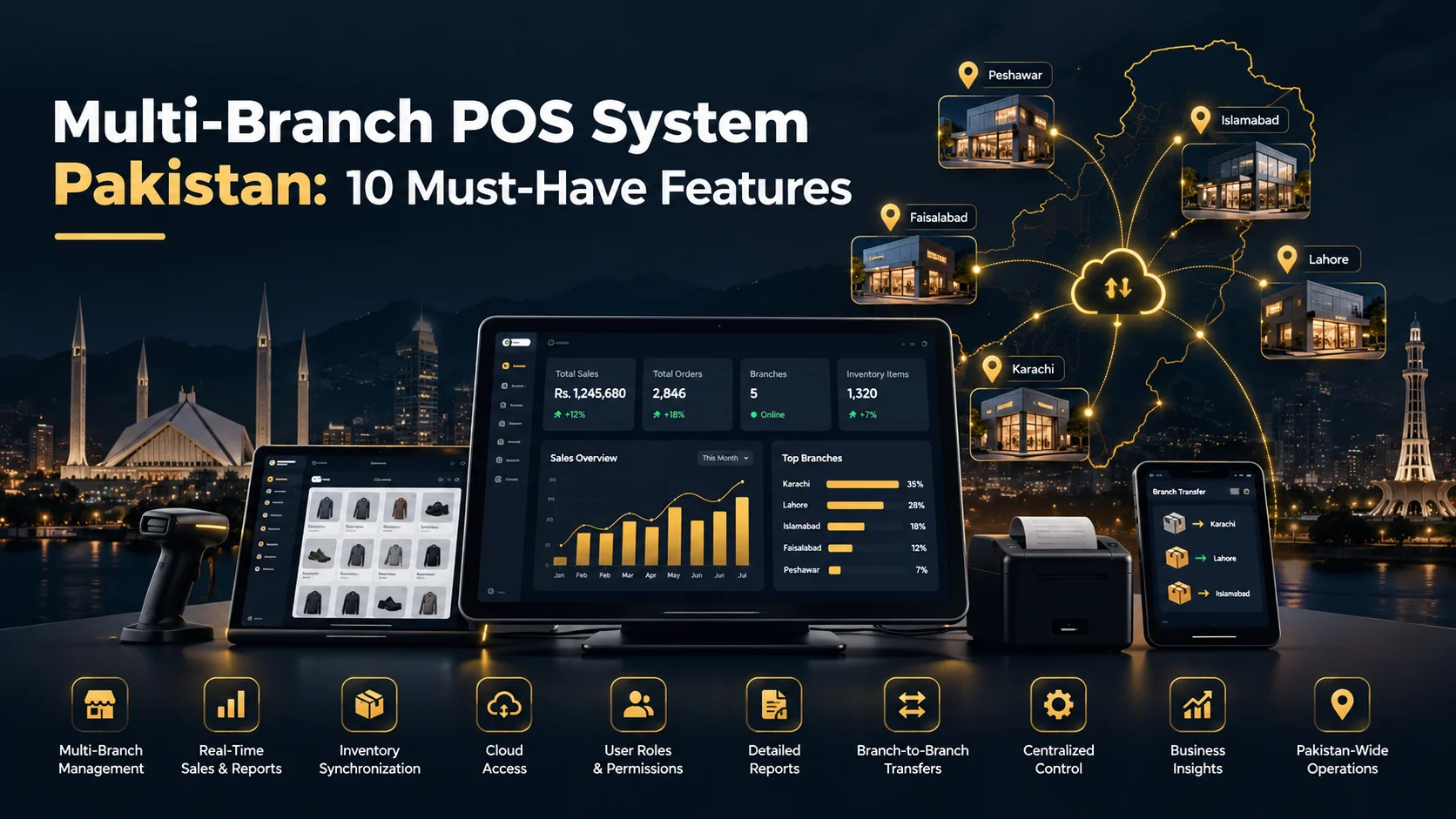
Opening a second branch creates a new kind of management problem. Sales happen in two places, stock moves between locations, different cashiers use the system, and the owner needs one reliable view of what is happening without calling each branch for updates.
A multi-branch POS system Pakistan business owners can use effectively should solve that problem with centralized control while still letting each branch operate independently at the counter.
This guide explains what a multi-branch POS should manage, which features matter most in 2026, and how to avoid the common mistakes that appear when a single-store POS is stretched across several locations.
What Is a Multi-Branch POS System?
A multi-branch POS system Pakistan businesses use connects multiple shops, restaurants, offices, or service locations to one central platform.
Each branch can have its own:
- sales counter,
- cashiers and managers,
- stock quantities,
- expenses,
- customers,
- returns,
- daily closing, and
- local reports.
At the same time, the owner or authorized administrator can see combined information across the business.
The important idea is that branches should be connected but not mixed together. A product can exist in every branch while its stock quantity, sales, staff activity, and cash totals remain separate by location.
Why a Second Branch Changes Everything
A single-store system often works because the owner is physically present. Once the business expands, manual coordination starts to create gaps.
Typical problems include:
| Problem | What Usually Happens Without Multi-Branch Control |
|---|---|
| Stock visibility | Staff call other branches or check spreadsheets |
| Branch transfers | Inventory is moved without a reliable audit trail |
| Owner reporting | Managers send screenshots or daily totals manually |
| Permissions | Cashiers may see or change information outside their branch |
| Pricing | Updates are repeated branch by branch |
| Returns | Staff may not know where the original sale happened |
A proper multi-branch POS system Pakistan implementation reduces these gaps by treating branch identity as part of every important transaction.
10 Must-Have Features in a Multi-Branch POS System Pakistan Businesses Need
1. Separate Stock for Every Branch
The same product should not mean one shared number everywhere.
If Branch A has 12 units and Branch B has 35, the system should preserve those quantities separately. A sale at Branch A should reduce Branch A stock only.
This sounds obvious, but weak multi-location systems often bolt branch support onto a database that was originally designed for one store.
2. Central Product and Category Control
Owners should not have to create the same item five times.
A central catalog can allow approved administrators to create products, categories, units, prices, tax settings, and other master data once and then make them available to selected branches.
Branch-specific pricing can still be supported where the business requires it, but the structure should remain controlled.
3. Inter-Branch Stock Transfers
Moving stock between branches should be a recorded transaction, not a WhatsApp message.
A good workflow usually includes:
- transfer request or creation,
- source branch approval where needed,
- items and quantities dispatched,
- destination branch receipt,
- stock adjustment on both sides, and
- a permanent transfer history.
This helps the business distinguish a legitimate transfer from shrinkage or an incorrect stock adjustment.
4. Owner Dashboard Across All Locations
The owner should be able to see the business without physically visiting every branch.
A useful dashboard may show:
- today’s sales by branch,
- combined sales,
- cash vs other payment methods,
- top-selling products,
- low-stock alerts,
- expenses,
- returns,
- pending balances, and
- cashier activity.
This is one of the strongest advantages of combining local branch operations with cloud reporting. Our guide to a cloud POS system for small business explains why remote access and centralized reporting matter as a business grows.
5. Branch-Level User Permissions
Permissions should be based on both role and location.
For example:
- a cashier may access only one assigned branch,
- a branch manager may view that branch’s sales and stock,
- an area manager may view several locations, and
- the owner may view everything.
A multi-branch POS system Pakistan business owners choose should not force them to give every manager full-company access just to let them do their job.
6. Consolidated and Branch-Specific Reports
Good reporting should answer two different questions:
How is this branch performing?
and
How is the whole business performing?
That means reports should be filterable by branch, date, cashier, category, product, customer, payment type, and other relevant dimensions.
Combined totals without branch detail hide problems. Branch reports without company totals make owner oversight harder. A useful system needs both.
7. Offline Continuity at Each Branch
Multi-branch systems are often cloud-connected, but a network problem at one location should not automatically stop checkout there.
Where offline mode is supported, each eligible branch should be able to continue core operations locally and sync later.
Our offline POS system Pakistan guide explains the difference between real offline billing and a screen that simply remains open while transactions cannot finish.
8. Returns Across Locations Need Clear Rules
Can a customer buy at Branch A and return at Branch B?
There is no single correct policy. The software should support the policy the business chooses.
If cross-branch returns are allowed, the system needs to know:
- where the original sale occurred,
- which branch receives the returned stock,
- which branch absorbs the refund or adjustment, and
- how the transaction appears in reports.
Without clear rules, returns can distort both stock and branch performance.
9. Branch-Level Expenses and Cash Closing
Sales are only one part of daily operations.
Managers may record local expenses such as delivery charges, minor repairs, petty cash, packaging, cleaning, or other approved costs.
A useful multi-branch POS system Pakistan setup should keep those expenses attached to the correct location and support daily cashier or branch closing.
10. Audit History
When a price changes, stock is adjusted, a sale is voided, or a transfer is edited, the business should be able to see who performed the action.
Audit history becomes more valuable as the number of branches grows because the owner cannot personally observe every transaction.
Multi-Branch Inventory: The Part Most Systems Get Wrong
Inventory across locations is not just “total stock divided into branches.”
A proper model needs:
- stock by branch,
- purchase receiving location,
- branch transfers,
- returns,
- damaged or wasted stock,
- branch-specific reorder levels, and
- movement history.
For example, total company stock may show 80 units, but that information is not enough if 75 are in Lahore and only 5 are in Faisalabad where demand is highest.
The owner needs both the total and the distribution.
How Cloud and Offline Modes Work Together
A multi-location business benefits from the cloud because central management needs data from every branch.
At the same time, each branch needs resilience.
The ideal pattern is:
- each branch performs local checkout,
- transactions sync to the central cloud,
- the owner sees updated company reports,
- branch-specific permissions remain enforced, and
- temporary connectivity loss does not destroy local operations where offline mode is supported.
The challenge is synchronization. If one branch is offline, the owner dashboard may temporarily show older information from that location. Good software should make data freshness understandable rather than pretending every number is live.
Multi-Branch POS for Different Industries
A multi-branch POS system Pakistan businesses use should also respect industry workflows.
Retail and Grocery
Retail chains need branch stock, barcode checkout, purchasing, supplier management, transfers, returns, and owner reports.
Restaurants
Restaurant groups may need separate menus, tables, kitchen order workflows, delivery orders, branch sales, and food inventory.
Pharmacies
Pharmacy branches may need batch and expiry tracking, supplier records, branch transfers, and careful product controls.
Hotels
Hotels need room and guest workflows that are different from a retail chain, even when several properties are managed under one business.
Salons and Service Businesses
Appointments, staff performance, services, products, and customer history may need to be separated by location.
This is why we recommend evaluating industry-specific POS software rather than assuming one generic branch screen fits every business.
Pakistan-Specific Questions to Ask
For businesses operating in Pakistan, include these questions in the buying process:
- Does the system support PKR cleanly?
- Can it work during internet interruptions?
- Can each branch print locally?
- How are branch transfers recorded?
- Does the provider support the compliance workflow that applies to your business?
- Can owner reports be viewed remotely?
- Can branch users be restricted by role and location?
- How are backups and restores handled?
Pakistan’s Federal Board of Revenue publishes current POS legal provisions and related digital invoicing material. Requirements depend on the business and registration status, so buyers should verify current obligations instead of relying on generic vendor claims.
A 6-Step Multi-Branch POS Rollout Plan
Step 1: Standardize the Product Catalog
Clean duplicate SKUs, naming differences, category errors, and units before rollout.
Step 2: Define Branch Roles
Decide what cashiers, managers, accountants, and owners can see and change.
Step 3: Set Branch Stock
Import or count opening inventory separately for each location.
Step 4: Test Transfers and Returns
Run real examples before staff depend on the system.
Step 5: Train Each Branch
Train staff on their daily workflow, not every administrative feature in the platform.
Step 6: Review the First Week
Check sync errors, duplicate products, permissions, transfer mistakes, closing reports, and unusual adjustments.
Common Mistakes to Avoid
- Using one login everywhere: this destroys accountability.
- Sharing one stock quantity: it hides where inventory actually exists.
- Allowing manual transfers without records: this creates stock differences.
- Giving managers company-wide access: use branch-level permissions instead.
- Ignoring offline behavior: test what each branch can do during an outage.
- Only checking combined sales: branch-level trends matter too.
Where Zynova POS Is Heading
Zynova Agency is developing Zynova POS as a multi-business POS platform with centralized ownership, role-based access, branch-aware operations, inventory, reporting, and industry-specific workflows.
Final plan limits and production features will be confirmed at launch. Until then, buyers should treat pre-launch descriptions as direction rather than a promise of a finished feature.
Final Thoughts
The best multi-branch POS system Pakistan businesses can choose should make expansion easier, not create more spreadsheets.
Separate stock by branch, centralize approved master data, track transfers, restrict users properly, combine reports, preserve audit history, and keep each location operational.
When those pieces work together, an owner can manage several branches as one business without losing visibility into what is happening at each location.
Frequently Asked Questions
Can one POS system manage multiple branches?
Yes. A multi-branch POS can keep sales, stock, users, expenses, and reports separate by location while giving authorized owners a central view.
Can each branch have different stock quantities?
Yes. Branch-level inventory is a core requirement because the same product may have different quantities at each location.
Can stock be transferred between branches?
A well-designed system should record transfers from the source branch to the destination branch and keep a movement history.
Can a multi-branch POS work offline?
Some systems support offline operations at individual branches and synchronize later. Buyers should test exactly which functions remain available without internet.
Should cashiers see every branch?
Usually no. Access should match the user’s role and assigned location unless the business has a specific reason to grant wider visibility.