
SaaS Data Migration Checklist in 2026: 9 Steps to Switch Software Safely
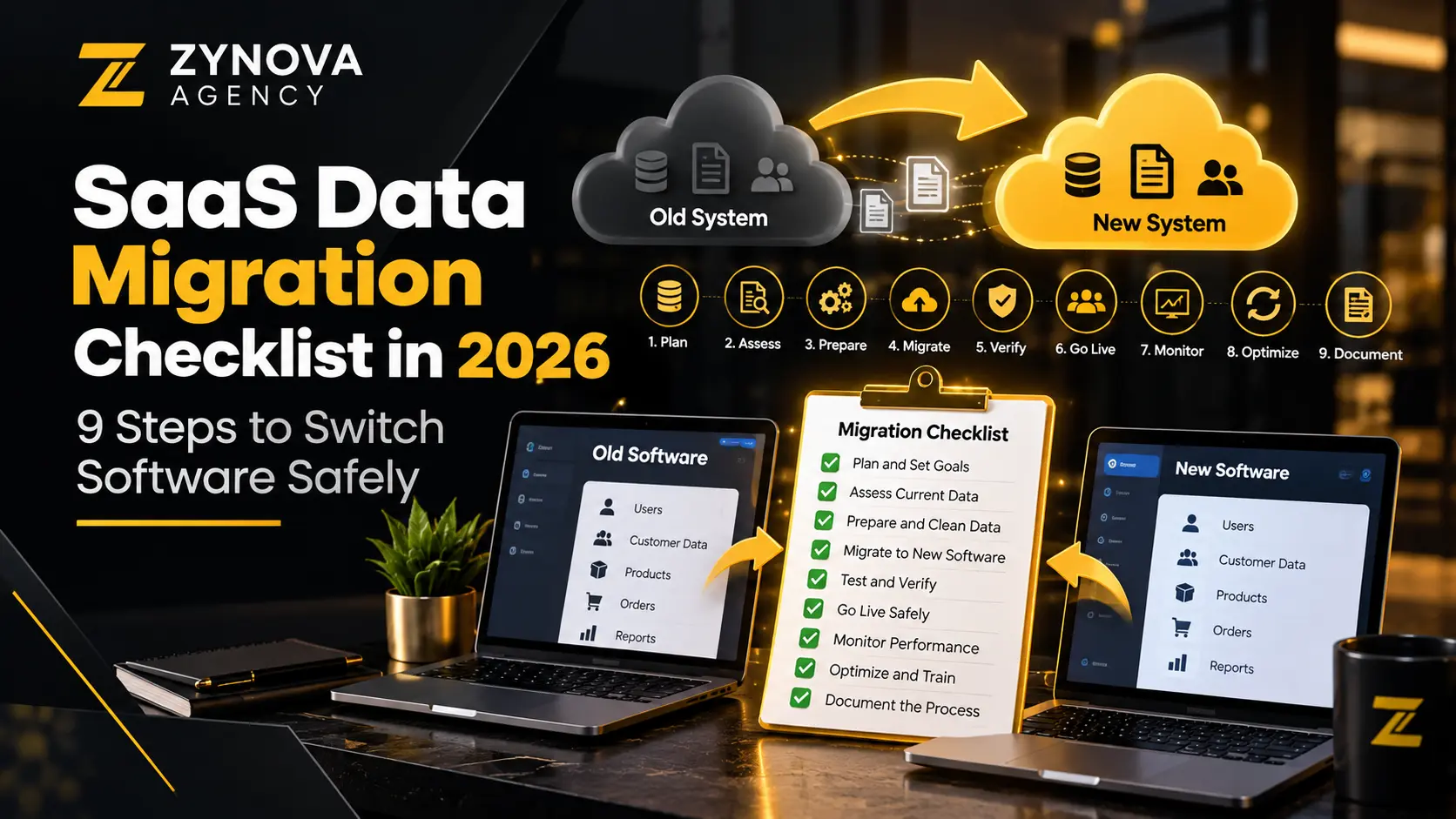
A SaaS data migration checklist is essential when a company moves customer, billing, operations or project information from one software platform to another. The risky part is rarely clicking ‘export’. It is preserving relationships, permissions and day-to-day workflows without losing trust in the records.
Whether you are replacing a CRM, subscription platform, help desk or business dashboard, a planned switch is safer than copying everything on a Friday night and hoping the next system interprets it correctly. This guide covers nine practical steps that are useful to owners, IT teams and implementation partners.
Why software migrations go wrong
Different systems represent the same concept differently. An ‘active customer’ may include different statuses, dates, identifiers and billing rules in each application. Attached documents, activity logs, tags, custom fields and recurring tasks may live in separate exports—or not be exportable without provider support.
A credible SaaS data migration checklist therefore needs to cover people, process, configuration and record history, not just a list of CSV files. The Australian Government’s portability and exit-planning checklist is one example of formal guidance emphasizing documented exports, dependencies and transition plans. Its public-sector obligations are not automatically applicable to private businesses, but the planning questions are useful.
9 steps in a SaaS data migration checklist
1. Agree on scope, business outcomes and ownership
Start the SaaS data migration checklist by documenting what will move, what can remain archived and which processes must work on day one. Name an executive owner, a technical owner and people who understand the source data. Decide whether the project includes just active customer records or also historic invoices, attachments and audit trails.
Define measurable acceptance criteria. For example: all current subscriptions mapped, essential attachments accessible and no unresolved duplicate customer IDs. Add excluded items explicitly so they do not become surprises during handover.
2. Inventory data sources and dependencies
List every relevant system, integration, automated job and manual spreadsheet. Some customer details may live in a CRM while the authoritative payment status comes from a billing gateway. Treat the source-of-truth decision as a business issue rather than assuming the newest database is the most accurate.
Record APIs, exports, ownership, formats, data volumes, rate limits and access requirements. Third-party integrations, webhooks and scheduled reports often fail after migration even when the main application appears healthy. A good SaaS data migration checklist captures these dependencies early.
3. Review contracts, exports and exit restrictions
A SaaS data migration checklist must confirm export availability, file formats, charges for historical records and support before the old subscription is cancelled. Confirm account access after cancellation and retention timelines. Read the agreement for data deletion, intellectual property and any notice period.
Ask whether exports include stable IDs, relationships, custom properties, attachments and timestamps. A platform may offer a CSV download but omit essential metadata. For background on software ownership and vendor tradeoffs, see our custom software vs SaaS comparison.
4. Design field mapping and transformation rules
As part of the SaaS data migration checklist, build a mapping table showing each source field, destination field, data type, allowed values and transformation. Decide how to handle blank values, date formats, currencies, tax categories, time zones, duplicated contacts and retired statuses.
Do not use silent defaults to make an import appear successful. If a source ‘paused’ subscription has no destination equivalent, document whether to map it, preserve a custom field or exclude it by approved policy. Test examples that include unusual but legitimate records.
5. Clean data without destroying history
Remove obvious duplicates and normalize selected formats when there is a clear policy for doing so. But preserve important identifiers and traceability. Do not merge two customer records simply because names match; they may be different people or organizations.
Keep a pre-migration snapshot of the original export, ideally protected from accidental changes. Record every transformation so an auditor or support person can explain why a record looks different after import. For financial or regulated data, confirm retention obligations with a qualified adviser.
6. Secure access, transfer and temporary copies
Use least-privilege accounts, secure transfer methods and controlled storage for exports. Migration files can contain sensitive customer details, contract terms and employee records. Delete unnecessary temporary copies after validation in line with an appropriate retention policy.
Limit who can run bulk imports, update permissions or bypass validation. Do not email raw data to every project participant. For a general security lens, review the FTC’s business privacy and security resources, while applying your own jurisdiction’s requirements.
7. Run a representative pilot and reconcile results
The SaaS data migration checklist should require a pilot using representative records: active and inactive customers, linked invoices, attachments, multi-currency records, long text fields, duplicate candidates and permissions. Test actual business workflows, not only whether each row appears in the dashboard.
Reconcile record counts, totals and key relationships against the source. Counts alone can be misleading: 10,000 imported rows may still point to the wrong accounts. Track failures with exact causes and repeat the pilot after modifying mappings.
8. Plan cutover, rollback and user training
Choose when the old system becomes read-only, how changes during the transition are captured and who approves the new system for production. Prepare a rollback decision point and explain which changes could make rollback difficult.
Train employees on changed screens, permissions and responsibilities before the switch. Communicate expected downtime honestly, including what support staff should do if they encounter missing records. Link the procedure to your SaaS architecture planning questions if your business is building or extending its own platform.
9. Verify after launch and close the project deliberately
After cutover, reconcile business-critical totals and monitor failed integrations, delayed jobs, access problems and customer-support requests. Keep the source available for an agreed validation period where legally and contractually possible.
Complete a signed handover: confirmed records, documented exceptions, training materials, backup location and a list of accountable owners. Only then retire old connectors and subscriptions. A SaaS data migration checklist is complete when operations are stable, not merely when the import finishes.
Sample migration acceptance matrix
| Area | Validation | Example pass condition |
|---|---|---|
| Customers | Match stable IDs and sample profiles | Approved mappings and no unexplained missing active accounts |
| Transactions | Reconcile amount, currency and status | Totals match source or have documented differences |
| Attachments | Open representative historic documents | Accessible to authorized users |
| Permissions | Test employee roles and sensitive actions | Users have only approved access |
| Integrations | Exercise API and scheduled workflows | Errors handled and logged as designed |
Agree on these pass conditions before beginning the import. Otherwise, a team can declare success while stakeholders discover missing functions days later. Keep the validation evidence in a secure project folder.
When to delay the migration
Pause if source exports are incomplete, critical field mappings lack owners, essential integrations cannot be tested or no workable rollback process exists. A postponed switch is often less expensive than launching with unreliable customer balances or inaccessible documents. Some low-risk migrations may need only a lightweight checklist; sensitive or high-volume systems require deeper oversight.
Frequently asked questions
Can a SaaS migration be completed without downtime?
Sometimes, depending on replication, integrations and how the applications handle concurrent updates. Do not promise zero downtime without testing the exact cutover approach.
Should businesses migrate all historical records?
Not always. Determine operational need, audit requirements, cost and legal retention obligations. Where appropriate, keep a secure, accessible archive rather than transferring irrelevant data.
What is the difference between backup and migration?
A backup protects against data loss and supports restoration. A migration transforms or transfers records for use in another system. A backup can support migration safety, but it does not replace mapping, testing or reconciliation.
How can a small business control migration cost?
Limit scope to agreed requirements, pilot early, resolve duplicates before the main import and document which work belongs to the vendor versus your own team.
Final takeaway
Use this SaaS data migration checklist to make a switch measurable and reversible wherever practical. Reliable exports, clear mappings, security controls, representative testing and explicit ownership are more valuable than a rushed promise that every record has been moved.