
Cloud POS System for Small Business in 2026: 12 Features That Actually Matter
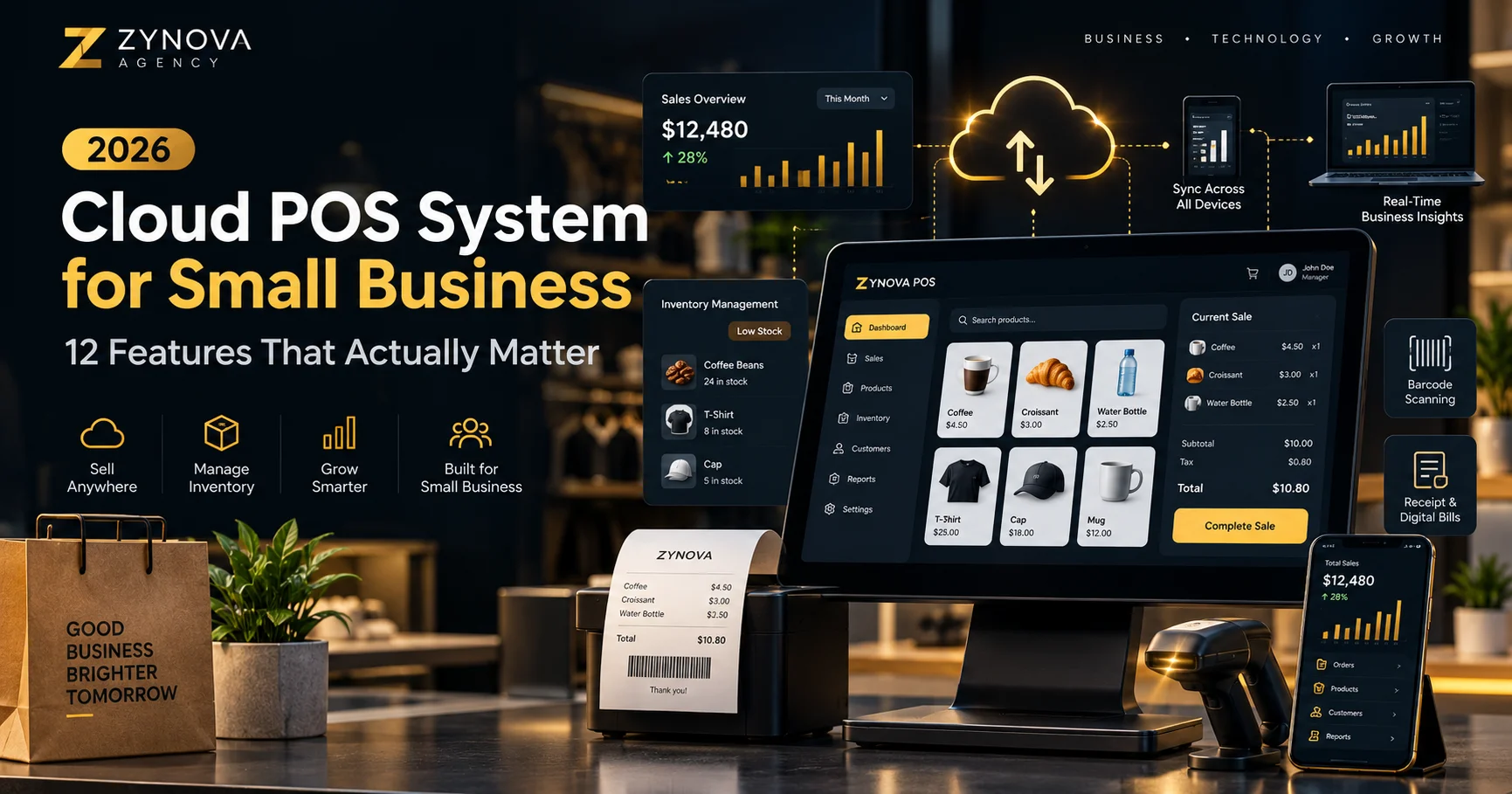
A modern point-of-sale system should do much more than total a bill. For a small business, the right Cloud POS System for Small Business can become the central place for sales, stock, customers, staff, branches, expenses, and daily reporting.
The challenge in 2026 is not finding a POS system. It is choosing one that still works when the business grows, the internet drops, another branch opens, or the owner needs to check performance away from the counter.
This guide explains the 12 POS features that actually matter, how to separate useful functionality from marketing extras, and what to check before moving your business onto a cloud POS platform.
Quick Answer
A good Cloud POS System for Small Business should combine fast billing, real-time inventory, offline continuity, customer records, role-based access, purchases, expenses, returns, reporting, multi-device sync, multi-branch management, backups, and secure payment handling. The best system is not the one with the longest feature list—it is the one that matches how your business actually operates.
What Is a Cloud POS System?
A cloud POS system is point-of-sale software that stores and synchronizes business data through online infrastructure rather than keeping everything on one local computer.
At the counter, staff can create sales, print receipts, process returns, check stock, and manage customers. In the back office, owners can view reports, monitor branches, update products, manage users, and review business performance from another device.
A strong Cloud POS System for Small Business should feel simple at checkout while quietly keeping the rest of the business data synchronized in the background.
Cloud does not necessarily mean “internet-only.” In fact, one of the most important differences between POS platforms is how they behave when the connection disappears.
Why Small Businesses Are Moving Toward Cloud POS
Traditional desktop POS software can work well at one counter, but it often becomes difficult to manage when the business adds more users, devices, branches, or remote oversight.
Cloud POS solves several practical problems:
- The owner can view business data without being physically present
- Products and prices can be updated centrally
- Inventory can stay synchronized across locations
- Staff can use controlled accounts instead of sharing one admin login
- Reports can be generated from current data
- Backups can happen automatically
- New devices can be added more easily
Major POS platforms increasingly combine inventory, staff permissions, customer profiles, and reporting inside one connected system. Shopify, for example, documents multi-location inventory, customer history, staff permissions, and centralized reporting as core POS capabilities.
Cloud POS System for Small Business: 12 Features That Actually Matter
1. Fast and Simple Checkout
The first job of any POS is still checkout.
Staff should be able to search products, scan barcodes, change quantity, apply allowed discounts, select a customer, choose a payment method, complete the sale, and print or send a receipt without unnecessary screens.
A checkout that saves ten seconds per sale can matter more than a rarely used “advanced” feature hidden in the back office.
Look for:
- Barcode support
- Quick product search
- Keyboard and touch-friendly workflows
- Multiple payment methods
- Split or partial payments where needed
- Receipt printing
- Hold and resume sale
- Returns and exchanges
2. Real-Time Inventory Management
Inventory should update automatically when products are sold, returned, purchased, transferred, or adjusted.
For a Cloud POS System for Small Business, inventory should not be a separate spreadsheet that someone updates at the end of the day.
The system should help answer:
- What is in stock right now?
- Which items are running low?
- Which products sell fastest?
- What stock arrived from a supplier?
- Which branch currently holds an item?
- What was returned or damaged?
Good stock control reduces overselling, missed purchases, and unnecessary capital tied up in slow-moving products.
3. Offline Mode That Keeps the Counter Running
Offline capability is one of the most important features many businesses ignore until the internet fails.
A POS should have a clear answer to this question:
“What can my staff still do when the internet goes down?”
Ideally, core checkout operations continue locally and queued data synchronizes when connectivity returns.
Square, for example, documents offline payment behavior and makes clear that offline transactions have specific conditions and risks. That is a useful reminder that “offline mode” should be understood in detail rather than accepted as a vague marketing claim.
For any Cloud POS System for Small Business, ask exactly which functions remain available offline: cash sales, stock deduction, receipt printing, customer selection, returns, and payment processing may not all behave the same way.
4. Role-Based User Permissions
Owners, managers, and cashiers should not all have the same access.
A cashier may need to create sales and print receipts but should not necessarily be able to delete products, edit tax settings, view profit reports, or restore backups.
A manager may need authority for returns, discounts, stock adjustments, and staff supervision.
The owner usually needs full reporting and configuration access.
Look for unique user accounts, permission levels, audit history, and manager approval for sensitive actions. Role-based access reduces mistakes and makes accountability much clearer.
5. Customer Accounts, History, and Balances
Customer management becomes important as soon as a business offers credit, repeat sales, loyalty, delivery, reservations, or personalized service.
A useful POS customer record can include:
- Name and contact details
- Purchase history
- Outstanding balance
- Returns
- Notes
- Delivery information
- Credit or payment history
This turns the POS into more than a billing tool. It becomes part of the customer relationship process.
If customer management is a major part of your operation, it is also worth understanding when you need a dedicated CRM. Zynova Agency’s guide to the Best CRM Software explains the difference between basic customer records and full sales-pipeline management.
6. Purchase and Supplier Management
Sales tell you what left the business. Purchase records tell you what came in.
A complete Cloud POS System for Small Business should help track suppliers, purchase invoices, received stock, purchase costs, outstanding supplier balances, and payment history.
This is especially useful for retail, grocery, wholesale, pharmacy, manufacturing-related trade, and businesses with frequent stock replenishment.
The ideal workflow is:
Create Purchase → Receive Items → Increase Stock → Record Supplier Balance → Pay Supplier → Update Accounts
When these steps are disconnected, businesses often end up reconciling multiple spreadsheets manually.
7. Returns, Refunds, and Stock Corrections
Real businesses have imperfect transactions.
A product is returned. A bill is cancelled. An item is damaged. The cashier enters the wrong quantity. Stock has to be corrected after a physical count.
Your POS should handle these situations without forcing staff to “delete the sale and start again.”
Good return handling should preserve transaction history and adjust inventory correctly.
For sensitive actions, manager approval and audit logs are especially useful.
8. Expenses and Cash Tracking
Sales revenue is not the same as profit.
Small businesses often pay daily expenses from the same cash flow used at the counter: delivery charges, wages, repairs, utility payments, supplies, transport, and miscellaneous costs.
If the POS only records sales, the dashboard can give an incomplete picture of daily performance.
Useful expense features include:
- Expense categories
- Date and payment method
- Notes or attachments
- Staff member who recorded the expense
- Daily and monthly totals
- Comparison against sales
9. Reports the Owner Can Actually Use
Many systems advertise “advanced analytics” but give small-business owners reports they rarely open.
A practical Cloud POS System for Small Business should answer common operational questions quickly.
Useful reports include:
- Today’s sales
- Sales by date range
- Gross profit
- Top-selling products
- Low-stock items
- Returns
- Expenses
- Pending customer balances
- Supplier balances
- Sales by cashier
- Payment-method totals
- Branch performance
Reports should also be filterable and exportable when the business needs accounting, audit, or deeper analysis.
10. Multi-Device and Multi-Branch Synchronization
A cloud POS becomes much more valuable when the owner can see the business without standing next to the cashier.
For growing companies, products, inventory, users, and reports may also need to work across several branches.
A good multi-location design should support:
- Branch-specific stock
- Central product management
- Branch transfers
- Location-specific users
- Central reporting
- Location-level performance comparison
Square’s multi-store POS documentation highlights centralized inventory, location-specific staff access, stock transfers, and cross-location reporting as key multi-location functions.
11. Automatic Backups and Data Recovery
Businesses often think about backups only after a computer fails, files become corrupted, or someone deletes important data.
A cloud POS should make recovery part of the system design.
Ask:
- How often is data backed up?
- Where are backups stored?
- Can the business restore data itself?
- Are backups encrypted?
- How long are backups retained?
- What happens if one device is lost or damaged?
For businesses moving from local desktop software, backup and restore capability is one of the strongest reasons to consider a properly designed cloud architecture.
12. Security, Audit Logs, and Payment Protection
Security is not optional just because the business is small.
PCI Security Standards Council states that PCI DSS applies to merchants involved in payment processing regardless of business size or transaction volume.
For a Cloud POS System for Small Business, useful security controls include:
- Unique user accounts
- Strong passwords
- Role-based permissions
- Encrypted connections
- Audit logs
- Automatic logout or session controls
- Regular backups
- Secure payment integrations
- Minimal storage of sensitive cardholder data
The PCI Council also advises merchants to use validated payment software and approved payment devices and to avoid storing sensitive cardholder information unnecessarily.
Cloud POS vs Traditional Desktop POS
| Area | Cloud POS | Traditional Desktop POS |
|---|---|---|
| Remote access | Usually available from authorized devices | Often limited to the local machine or network |
| Updates | Can be deployed centrally | May require local installation |
| Backups | Can be automated centrally | Often depends on local backup discipline |
| Multiple branches | Designed for centralized synchronization | May need separate databases or manual consolidation |
| Internet outage | Depends heavily on offline architecture | Local operation may continue normally |
The strongest option for many businesses is not purely cloud or purely local. It is a cloud-connected system with reliable offline capability.
Why “One POS for Every Business” Can Be a Problem
This is one of the most important buying questions and deserves its own discussion.
A retail shop, restaurant, hotel, clinic, pharmacy, salon, and workshop may all accept payments—but their daily operations are completely different.
A restaurant may need tables, kitchen orders, dine-in and takeaway workflows.
A hotel may need rooms, guest allocation, check-in, and room status.
A clinic may need patient records and appointments.
A workshop may need job cards and service history.
A pharmacy may need batch or expiry tracking.
That is why the best Cloud POS System for Small Business is not always the most generic one. Industry-specific workflows can matter more than having another dashboard widget.
This topic deserves a full article on its own, which we will cover separately in our upcoming guide to industry-specific POS software.
How to Choose the Right Cloud POS System
Before comparing pricing plans, write down how your business actually works.
Use this checklist:
- List your daily workflows. Sales, purchases, stock, customer credit, bookings, rooms, tables, jobs, or appointments.
- Identify your user roles. Owner, manager, cashier, salesperson, warehouse staff, or branch manager.
- Define your offline requirement. Which tasks must continue without internet?
- Count locations and devices. Include future growth, not only today’s setup.
- Check hardware. Receipt printer, barcode scanner, cash drawer, label printer, or payment terminal.
- Review reporting needs. Decide which numbers the owner needs daily, weekly, and monthly.
- Check migration. Understand how existing products, customers, and stock will move into the new system.
- Test permissions. Confirm sensitive actions can be restricted.
- Understand backups. Know exactly how data can be restored.
- Test before committing. Run real workflows, not only a sales demo.
If your workflows are unusual enough that standard software forces you to redesign the business around the tool, custom software may be a better fit. Zynova Agency’s Custom Software Development services cover systems built around specific business processes.
Should You Buy SaaS POS or Build a Custom POS?
Most small businesses should start by evaluating existing SaaS POS options.
A ready-made platform is usually faster to deploy and less expensive upfront.
Custom development becomes more reasonable when the business has:
- Unique industry workflows
- Several branches with special synchronization rules
- Complex customer or supplier balances
- Custom reporting requirements
- Specific offline behavior
- Integration with internal software
- Unusual billing, inventory, or approval processes
Businesses planning a subscription-based platform of their own may also benefit from understanding how multi-tenant software is structured. See Zynova Agency’s SaaS Development services for more information.
Cloud POS System for Small Business: Final Buying Checklist
- Fast checkout
- Real-time inventory
- Reliable offline operation
- Role-based permissions
- Customer history and balances
- Purchases and suppliers
- Returns and stock adjustments
- Expense tracking
- Useful reports
- Multi-device and multi-branch support
- Automatic backups
- Strong security and audit controls
Do not choose a POS because it has the longest feature page. Choose it because these features work together in the way your business needs.
Final Thoughts
A Cloud POS System for Small Business should reduce operational work, not create more of it.
The right system should keep billing simple for staff while giving the owner a clear view of stock, sales, expenses, customers, and business performance.
In 2026, the biggest differences are increasingly found in offline reliability, industry-specific workflows, remote management, permissions, multi-branch synchronization, and data security.
Start with your real business process. Then choose the POS that supports that process with the least friction.
Frequently Asked Questions
What is a cloud POS system for small business?
A Cloud POS System for Small Business is point-of-sale software that manages sales and related business data through a cloud-connected platform, allowing authorized users to access synchronized information from multiple devices or locations.
Can a cloud POS work without internet?
Some can. Offline capability varies significantly between systems. Always check which actions continue offline and how transactions synchronize when the connection returns.
What features should a small business POS have?
The most useful features usually include billing, inventory, customers, purchases, returns, expenses, staff permissions, reporting, backups, and secure multi-device access.
Is cloud POS better than desktop POS?
Cloud POS is usually stronger for remote access, centralized updates, multi-branch management, and synchronization. Desktop POS can be strong for local offline operation. A hybrid cloud-and-offline model can offer advantages from both approaches.
How important is inventory management in a POS?
For businesses that sell physical products, it is essential. Inventory should update from sales, purchases, returns, and adjustments so staff and owners can see accurate stock levels.
Does a small business need role-based POS permissions?
Yes, especially when several employees use the system. Permissions help restrict sensitive actions such as refunds, price changes, reporting, product deletion, and system settings.
Is POS data secure in the cloud?
It can be, but security depends on the provider’s architecture and practices. Businesses should evaluate authentication, permissions, encryption, backups, audit logs, and payment-security responsibilities.
Can one POS system work for every type of business?
A generic POS can cover basic sales, but restaurants, hotels, clinics, pharmacies, salons, workshops, and retailers often need different workflows. Industry-specific functionality can be more important than generic feature count.