
POS Audit Logs in 2026: 10 Events Every Business Should Track
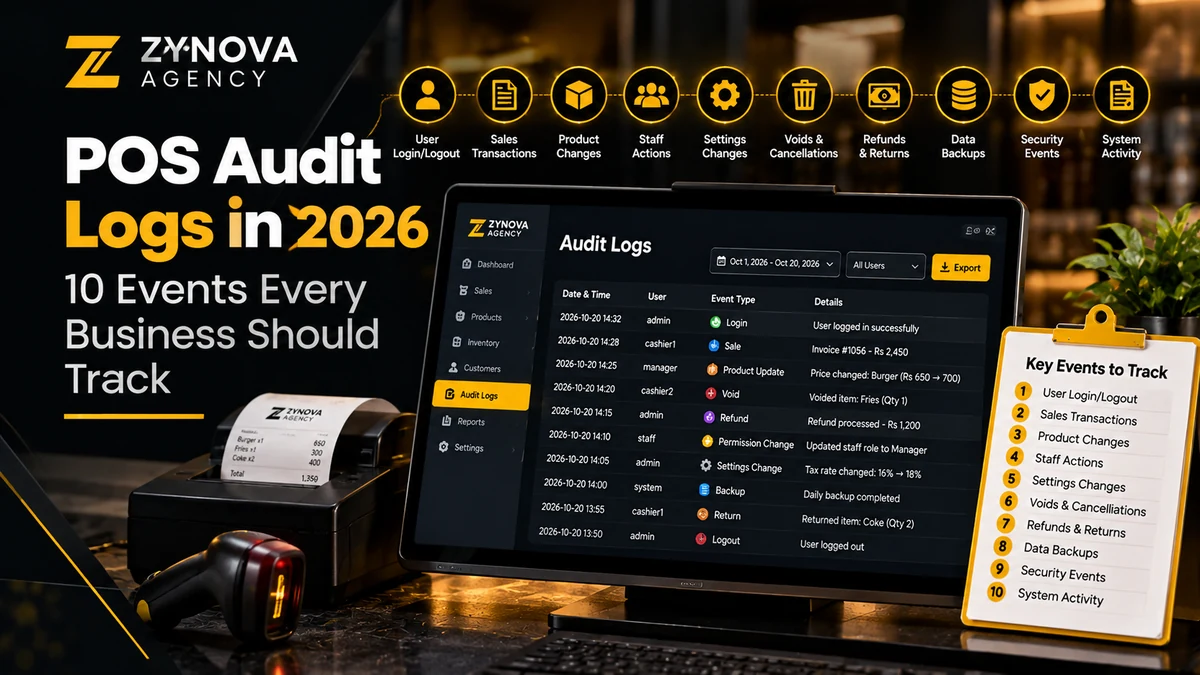
A cashier closes a bill, a manager applies a discount, and a stock adjustment is entered after the store shuts. None of those actions is automatically suspicious. However, when the numbers do not reconcile, the owner needs a reliable record of who changed what, when, and why. That is where POS audit logs become useful.
Unlike a sales report, which summarizes totals, an audit trail explains the sequence behind a transaction. This guide covers ten events worth tracking in a retail, restaurant, or service-business POS in 2026, plus controls that make the information practical rather than overwhelming.
What are POS audit logs?
POS audit logs provide an append-oriented history of significant activity within a point-of-sale system. A useful entry links an event to a staff identity, timestamp, affected record, before-and-after details when applicable, and an outcome. For example: “14:32, Manager role, refund R-208, amount 850, approved, reason: damaged item.” That is an illustrative entry, not customer data.
The audit trail is different from both an accounting ledger and a backup. The ledger records monetary events; the audit trail records operational activity; and a POS backup and recovery plan protects information if the system fails. Businesses need the appropriate combination rather than treating any one feature as a substitute for the others.
10 POS audit log events worth recording
1. Sign-in, sign-out, and failed authentication
For authentication, POS audit logs should record the employee account, login time, device or terminal, and outcome. For repeated failed logins, preserve enough detail for an administrator to investigate without recording passwords or other secrets. Look for one account used simultaneously at distant terminals and repeated attempts after closing.
2. Refunds and returns
For returns and refunds, POS audit logs should include the original sale reference, affected items, quantity, refund method, amount, staff member, approving manager, and reason code. Flag returns without an original receipt or unusually frequent partial refunds. Review the process alongside the safeguards in POS returns and refunds.
3. Manual discounts and price overrides
For discounts and price overrides, POS audit logs should capture the original price, final price, discount amount or percentage, promotion reference, and authorization. Discounts are often legitimate; the signal is a pattern that falls outside policy, such as repeated large reductions on a particular shift.
4. Voided, canceled, and reopened orders
Save the original order identifier, the exact action, the order state, and the reason. Canceling an unpaid order is not the same as voiding a settled transaction. Make that distinction clear in both the interface and the event record.
5. Cash drawer opening and adjustments
For cash handling, POS audit logs should record no-sale drawer openings, float changes, cash-in and cash-out movements, cash counts, and closing discrepancies. Where appropriate, connect these events to daily POS cash reconciliation controls so a reviewer can investigate a variance without manually checking every receipt.
6. Inventory adjustments and stock write-offs
For inventory changes, POS audit logs should capture the product or SKU, previous quantity, new quantity, unit of measure, adjustment type, reference document, and the approving role. A correction of 10 kilograms must not be confused with 10 individual packs. Keep stock receiving separate from write-offs and cycle-count corrections.
7. Purchase receiving and supplier changes
Record goods-receipt edits, supplier identity changes, purchase price changes, and corrections to received quantities. A purchase-order number or vendor invoice makes the event easier to verify. The companion POS supplier management guide describes the surrounding purchasing workflow.
8. User permissions and employee-account changes
POS audit logs should record role assignments, access grants, disables, credential resets, and changes to refund or discount limits. Especially sensitive actions should require an authorized manager and generate a reviewable alert. Our role-based POS permissions guide explains how separation of duties reduces the risk of a single account holding excessive powers.
9. Payment corrections and settlement events
Store the transaction reference, status change, terminal, method, and reconciliation reference. Never place full payment card details, authentication secrets, or sensitive personal information in free-text logs. Cashier errors, rejected payment attempts, and successful settlement should be distinguishable.
10. Configuration, export, backup, and data-reset actions
Track changes to tax settings, currency, receipt templates, integrations, report exports, backups, and administrative reset attempts. Destructive workflows should require explicit confirmation and an appropriate backup or recovery strategy. A data-export event can be useful to audit even when the export itself is permitted.
What fields should every important audit event include?
| Field | Purpose | Example |
|---|---|---|
| Event ID | Unique reference for investigation | EVT-1048 |
| Timestamp and time zone | Establish event ordering | 2026-10-28 14:32 PKT |
| Actor and role | Identify the responsible account | Staff 17 / supervisor |
| Entity and record ID | Connect to sale, item, or setting | Refund R-208 |
| Action and result | Show what changed and whether it worked | Approve / success |
| Reason and approval | Support review and accountability | Defective item / M-3 |
These values are illustrative. In multi-branch operations, also capture the branch, terminal, and an event correlation ID. Keep timestamps consistently stored, with local time displayed for staff when needed.
How to prevent audit logs from becoming an unused archive
Define a daily exception review
To keep POS audit logs actionable, start with a short list: unusually large discounts, refunds without receipts, unexpected stock reductions, repeated failed logins, and unexpected drawer openings. Set an owner for each type and document what the reviewer should do. Escalation rules should account for store size and transaction volume.
Protect integrity and control access
Ordinary cashier accounts should not be able to edit or delete POS audit logs. Restrict export rights, record who accesses sensitive logs, and consider tamper-evident storage where the business risk warrants it. Design the retention period around applicable obligations and actual investigation needs, not an arbitrary claim that every business must retain records forever.
Reconcile with independent records
Compare the audit history with stock counts, payment settlements, transaction receipts, and bank or cash reconciliation. An audit record documents an action; it does not by itself prove a theft, mistake, or fraud. Review context and allow staff to explain legitimate exceptions.
Common POS audit log mistakes
- Shared cashier accounts: an event identifies a terminal but not the person operating it.
- Logging everything without priorities: large volumes obscure useful anomalies.
- Missing original values: a price-change log says “updated” but not what changed.
- No offline event handling: branch terminals lose audit entries during internet outages.
- Weak export controls: logs are secure in the POS but openly downloadable by every user.
- No reviewer: alerts are generated, but nobody owns the follow-up.
The OWASP Logging Cheat Sheet provides general application security logging guidance. Apply it to a POS with appropriate privacy and business-process controls rather than copying every example unchanged.
A practical 30-day implementation plan
- Week 1: inventory existing POS events and identify high-risk actions.
- Week 2: standardize event fields, test role permissions, and confirm that offline events sync safely.
- Week 3: pilot exception reports with a manager; compare entries to refunds and cash settlements.
- Week 4: document review ownership, improve alerts, test exports and backups, and schedule periodic access reviews.
For a small store, start with refunds, price overrides, cash movements, and inventory corrections. Restaurants may also need order voids and table transfers. A multi-branch business should add branch and device identifiers.
POS audit logs: frequently asked questions
Are POS audit logs the same as sales reports?
No. Sales reports show aggregated performance, whereas audit logs trace individual changes and administrative actions. Both are useful for reconciliation.
Should employees be able to delete audit entries?
Ordinary users should not have that ability. Any lawful retention-based deletion should be controlled, authorized, and documented at the administrator level.
Do audit trails work in an offline POS?
They can if the design records events locally, protects their integrity, and reconciles them during synchronization. That behavior must be tested rather than assumed.
Can logs prove that an employee committed fraud?
No. They can highlight a pattern and provide supporting evidence, but an investigation must account for context, process errors, and corroborating records.
Final checklist
A reliable audit trail answers who, what, when, where, and why for sensitive actions, while protecting private data and helping a named person review anomalies. If you are specifying a business-specific POS, include audit events and permission rules in the requirements before development begins. Explore Zynova Agency’s custom software services for the broader project-planning considerations.