
Best AI Video Generators: 12 Powerful Tools for 2026
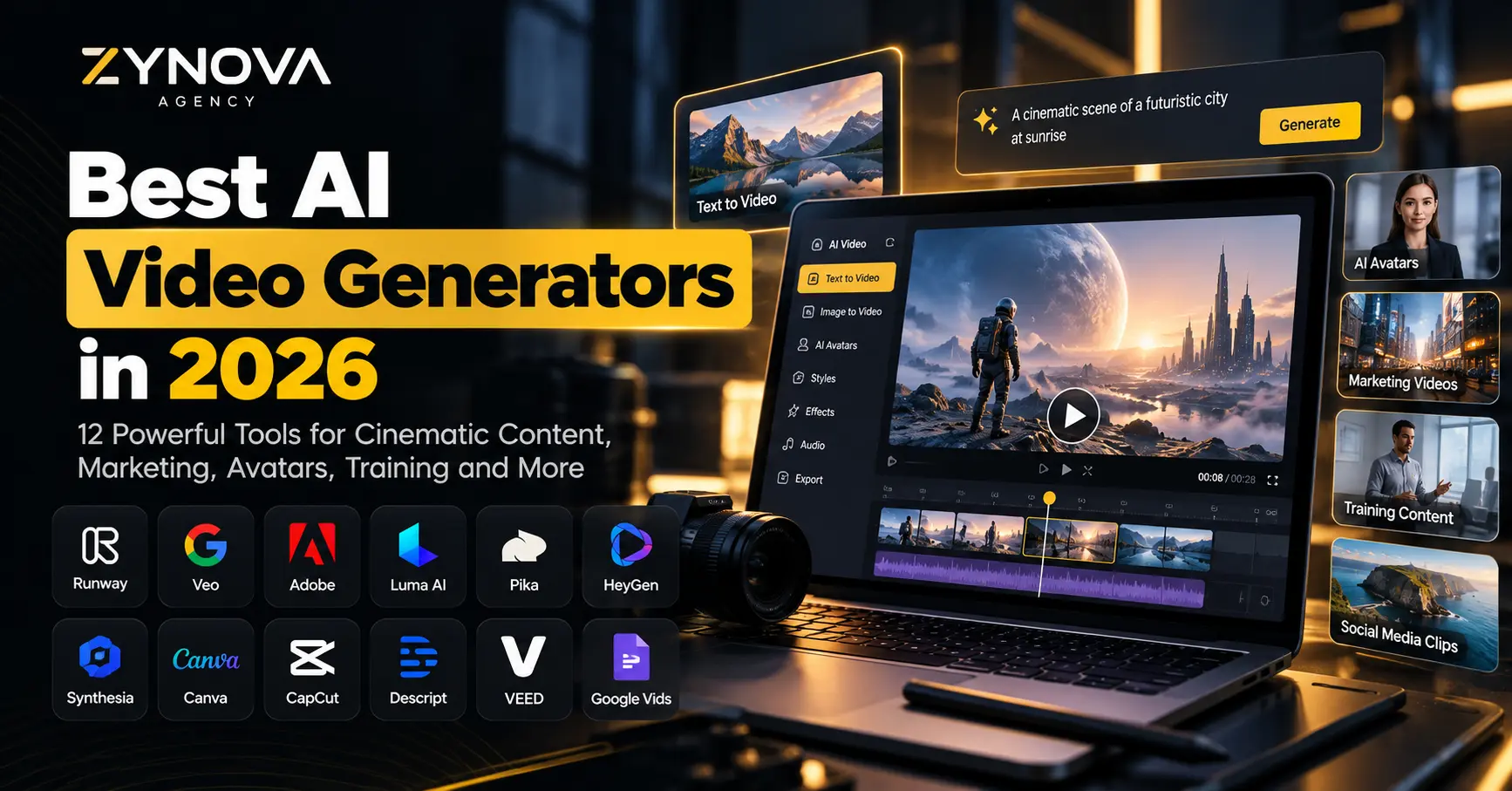
The best AI video generators in 2026 can turn a short prompt, image, script or existing recording into video that would previously have required cameras, actors, editors and hours of production work.
AI video is also no longer a small experimental category. Ahrefs reports that the keyword “AI video generator” receives around 223,000 monthly searches in the US and has grown 21% year over year, showing how quickly interest in AI-generated video continues to rise.
But the tools are becoming more specialized.
Some platforms are designed for cinematic text-to-video generation. Others focus on AI presenters, employee training, social media clips, advertisements or complete videos produced from a script.
That means there is no single AI video generator that is ideal for everyone.
A marketing agency creating product advertisements has different requirements from a company making onboarding videos. A filmmaker needs different controls from a small business creating Instagram Reels.
This guide compares 12 of the best AI video generators available in 2026 and explains where each tool makes the most sense.
Best AI Video Generators at a Glance
| Tool | Best For | Main Strength |
|---|---|---|
| Runway | Cinematic AI video | Creative control and realistic motion |
| Google Veo 3.1 | High-quality video + audio | Native audio and strong realism |
| Adobe Firefly | Professional creative teams | Generation plus editing ecosystem |
| Luma AI | Film and creative production | Advanced motion and production controls |
| Pika | Creative experimentation | Multiple models and fast workflows |
| HeyGen | Marketing and presenter videos | Realistic AI avatars |
| Synthesia | Training and education | Business presentations and avatars |
| Canva AI Video | Beginners and marketers | Easy design-to-video workflow |
| CapCut | Social and short-form content | AI generation plus editing |
| Descript | Video editing + AI generation | Generation inside a full editor |
| VEED | Browser-based video creation | Easy text-to-video workflow |
| Google Vids | Business teams | Workspace-friendly video creation |
How We Chose the Best AI Video Generators
The best AI video generators should be evaluated by what they help users accomplish rather than by impressive demo clips alone.
For this comparison, the most important factors are output quality, prompt understanding, motion consistency, creative control, image-to-video capability, audio support, editing workflow, ease of use and suitability for real business content.
Another important distinction is whether a platform generates individual cinematic clips or complete finished videos.
Runway and Veo are primarily powerful generative-video systems.
HeyGen and Synthesia focus more heavily on presenter-led business content.
Canva, CapCut, Descript and VEED combine AI generation with editing and content-production workflows.
Understanding that difference makes choosing a tool much easier.
1. Runway — Best for Cinematic AI Video Generation
Runway remains one of the strongest options for creators who want significant control over generated video.
Its current Gen-4.5 model supports both text-to-video and image-to-video generation.
According to Runway’s Gen-4.5 documentation, the model supports clips between 2 and 10 seconds and is designed to follow detailed instructions involving camera movement, scene composition, timing and atmospheric changes.
This makes Runway particularly useful when you want to direct a shot instead of simply asking AI to “make a video.”
You might specify how the camera moves, how a subject enters the scene, what happens in the background and how lighting changes during the shot.
Runway is therefore one of the best AI video generators for advertisements, concept videos, cinematic sequences and creative production.
It also works particularly well when you already have an image and want to animate it while retaining the original visual identity.
Best for: filmmakers, agencies, advertisements, cinematic clips and image-to-video.
2. Google Veo 3.1 — Best for Realistic Video With Native Audio
Google Veo has become one of the most important AI video models available.
Veo 3.1 combines video generation with native audio capabilities, meaning the model can create visuals together with corresponding dialogue, effects and environmental sound.
Google describes Veo 3.1 as its leading video-generation model, with improvements in realism, creative control and consistency.
Google has also expanded Veo 3.1 to support vertical 9:16 video and upscaling to 1080p or 4K, which makes it more practical for both social-media and higher-resolution production workflows.
That combination makes Veo particularly attractive for creators who want generated visuals and sound without building the audio separately.
The model is available across Google’s ecosystem, including Gemini, Flow and developer platforms.
Among the best AI video generators, Veo 3.1 is particularly strong for realistic scenes where synchronized sound matters.
Best for: cinematic video, advertisements, realistic scenes, vertical content and video with audio.
3. Adobe Firefly — Best for Professional Creative Workflows
Adobe Firefly takes a slightly different approach.
Rather than providing only one video model, Adobe is building Firefly into a broader AI creative environment.
Creators can generate video and continue working with the results inside Adobe’s editing workflow.
Adobe’s current Firefly video environment also supports several partner models, including Runway Gen-4.5, Veo 3.1, Kling models and Luma Ray models.
That gives professional users more flexibility because they can choose different models depending on the project.
Adobe’s own Firefly Video model also supports text and image-based generation directly inside its video editing environment.
For businesses already using Photoshop, Premiere Pro or other Adobe products, this integrated environment can be more useful than constantly exporting assets between separate AI platforms.
Adobe also positions its own Firefly-generated content for commercially oriented creative workflows.
For creative agencies and marketing teams, Firefly is one of the best AI video generators because generation and editing can exist within the same broader ecosystem.
Best for: agencies, professional designers, marketing teams and Adobe users.
4. Luma AI — Best for Advanced Creative Control
Luma AI focuses strongly on creative video generation and production-oriented control.
Its Ray video family includes features designed for filmmakers, advertising teams and other professional creators.
Luma’s current Ray platform supports tools such as keyframes, video modification, character consistency and controlled transitions.
The company describes its current Ray generation technology as being developed with creative professionals from entertainment, advertising and gaming.
Luma has also introduced workflows for modifying existing footage rather than simply generating every shot from nothing.
That matters for professional production.
A filmmaker may want to change a location, alter lighting or modify a character while preserving the original performance and camera movement.
This gives Luma a different value proposition from simple prompt-to-video generators.
It is one of the best AI video generators for creators who want to combine generated content with more controlled video-production techniques.
Best for: filmmaking, advertising, video modification, visual effects and advanced creative control.
5. Pika — Best for Fast Creative Experimentation
Pika has evolved beyond being a simple single-model video generator.
In September 2026, the company introduced a redesigned Pika platform combining video, image and sound generation while providing access to multiple generative-media models.
That makes Pika particularly useful for experimentation.
Instead of committing to one generation engine for every project, creators can try different models and workflows from the same broader creative environment.
Pika also offers quick creative effects and generation workflows suitable for social content, visual experimentation and short clips.
Its current plans include access to multiple models, parallel generation and commercial licensing on appropriate paid tiers.
Pika is one of the best AI video generators for creators who want to experiment quickly rather than manage complicated professional production software.
Best for: creators, social video, experimentation, visual effects and multi-model generation.
6. HeyGen — Best for AI Avatar Marketing Videos
HeyGen solves a different problem from tools like Runway and Veo.
Instead of focusing only on cinematic shots, HeyGen specializes in creating complete videos featuring realistic AI presenters.
A business can provide a script, document, URL, photo or basic concept and use HeyGen to generate a video containing an avatar, voice, B-roll and captions.
Its current AI Video Generator is designed to move from an idea or script to a more complete video production workflow.
HeyGen has also significantly expanded its avatar technology in 2026, including Avatar V and longer talking-avatar generation.
This makes it useful for businesses that do not want to repeatedly film presenters.
Possible uses include product introductions, sales videos, educational content, personalized marketing and multilingual communication.
HeyGen is therefore one of the best AI video generators for businesses that need a realistic person presenting information.
Best for: marketing videos, AI presenters, sales videos and multilingual content.
7. Synthesia — Best for Training and Corporate Videos
Synthesia is particularly strong in structured business communication.
Its platform can turn text, prompts, documents or scripts into professional videos with AI avatars and voiceovers.
Synthesia currently supports professional video generation with voiceover across more than 160 languages.
This makes it particularly valuable for organizations operating internationally.
For example, a company could create an employee-training video and produce localized versions without requiring a presenter to record every language separately.
Its workflow is designed around business content rather than cinematic filmmaking.
That makes Synthesia one of the best AI video generators for employee onboarding, training courses, internal communication and educational material.
Best for: employee training, onboarding, tutorials, education and corporate communication.
8. Canva AI Video — Best for Beginners and Marketing Teams
Canva is already widely used for presentations, advertisements and social media graphics.
Its AI video functionality adds generative video directly to that design environment.
Canva’s current AI Video Generator can create clips from text prompts and supports generated visuals with synchronized dialogue and sound effects.
The biggest advantage is usability.
After creating an AI clip, users can continue working with templates, typography, brand elements, graphics and other Canva tools.
That means a marketing employee can generate a scene and turn it into a complete social-media asset without learning professional editing software.
Among the best AI video generators, Canva is especially attractive for beginners and existing Canva teams.
Best for: beginners, social media, presentations, marketing graphics and simple promotional videos.
9. CapCut — Best for Short-Form and Social Video
CapCut combines AI generation with one of the most popular short-form editing workflows.
Its current AI video platform includes Seedance-powered generation alongside AI avatars, templates and text-to-video functionality.
CapCut also integrates multiple advanced video models into its wider creative environment, including Veo and Kling models.
That is particularly useful for TikTok, Instagram Reels, YouTube Shorts and other vertical-video formats.
The generated material can move directly into editing, where creators can add captions, transitions, music, overlays and other social-video elements.
CapCut is therefore one of the best AI video generators when your final destination is short-form social content rather than cinematic film production.
Best for: TikTok, Reels, YouTube Shorts, creators and social marketing teams.
10. Descript — Best for AI Generation Plus Editing
Descript is useful for creators who want AI generation without giving up a strong editing environment.
Instead of generating a clip somewhere else and importing it later, Descript allows users to generate video directly inside an editor.
Its current AI video tools can create complete video drafts as well as B-roll, shorts, backgrounds and scene cutaways.
Descript also provides access to several generation models rather than locking every project into one engine.
That makes it useful for podcasts, educational content, YouTube videos and business communication where AI footage is only one part of the final production.
Among the best AI video generators, Descript is especially valuable when editing is just as important as generation.
Best for: YouTube, podcasts, business content, editing and AI B-roll.
11. VEED — Best Browser-Based AI Video Workflow
VEED offers a straightforward browser-based workflow.
Its AI Video Generator can create short clips from text prompts directly inside the VEED editor.
That means users can generate footage and immediately continue editing without installing desktop software.
VEED is particularly useful for marketers and small teams that want a simpler environment for creating social videos, subtitles, presentations and quick promotional content.
It may not offer the same deep cinematic control as Runway or Luma, but that simplicity is also part of its appeal.
Not every business needs complex filmmaking controls.
For teams that want quick generation and editing inside a browser, VEED deserves consideration among the best AI video generators.
Best for: small businesses, marketers, browser-based editing and quick content.
12. Google Vids — Best for Workplace Video Creation
Google Vids is designed more around workplace communication than cinematic filmmaking.
Google expanded Vids in 2026 with Veo 3.1-powered video generation, making high-quality AI clips available directly inside a workplace-friendly video creation tool.
This makes it useful for companies already using Google Workspace.
A team could create an internal update, presentation, tutorial or training video without moving into a professional filmmaking environment.
Google Vids also provides an easier route for employees who need business video but are not professional editors.
For Workspace-heavy organizations, it can therefore be one of the best AI video generators for internal and business communication.
Best for: Google Workspace teams, internal communication, presentations and business explainers.
What Happened to OpenAI Sora?
You may notice that Sora is not included among our current recommendations.
That is intentional.
OpenAI states that the standalone Sora product is no longer available as of April 26, 2026.
Runway had also removed Sora models from its platform earlier in April 2026.
This is why older “best AI video generator” articles that still recommend Sora as an actively available product may now be outdated.
For a current 2026 comparison, it makes more sense to focus on tools and platforms people can actually use today.
Which AI Video Generator Should You Choose?
Choosing among the best AI video generators depends primarily on what you want to produce.
For cinematic generation and detailed control, Runway, Veo and Luma are strong choices.
For professional creative workflows, Adobe Firefly provides an attractive environment because it combines generation with editing and access to multiple models.
For AI presenters, consider HeyGen or Synthesia.
For fast social content, Canva, CapCut or Pika may be more practical.
For businesses that want generation integrated with editing, Descript and VEED provide useful all-in-one workflows.
The important question is not which platform has the most impressive demo.
Ask which one fits your actual production process.
Do You Need More Than One AI Video Generator?
Possibly.
Different models often perform better at different tasks.
One platform may create better realistic motion, while another produces stronger avatars.
A third may provide the editing tools your team needs.
That is one reason platforms such as Adobe Firefly and Pika increasingly provide access to multiple models.
Businesses should still avoid subscribing to everything.
Start with one primary use case.
Test the output.
Calculate the cost of producing usable final footage rather than the cost of one generation.
Then add another tool only when it solves a problem your existing workflow cannot handle.
AI Video Generation for Business
The commercial value of AI video goes beyond entertaining clips.
Businesses can use these tools for product demonstrations, social advertisements, training videos, explainers, landing-page content, multilingual campaigns, sales presentations and internal communication.
They can also be connected to larger automation systems.
For example, a workflow could take product information from a database, generate campaign copy, create a visual asset and route the result to a marketing employee for approval.
Companies interested in building connected systems like this can explore Zynova Agency’s AI automation services.
For broader software or platform requirements, Zynova also provides custom software development.
The goal should not be generating as much video as possible.
The goal is producing useful video more efficiently.
The Best AI Video Generators Are Becoming Complete Creative Platforms
The best AI video generators in 2026 are quickly becoming much more than prompt boxes.
They are adding audio generation, character consistency, editing, avatars, reusable styles, APIs, automation and access to multiple underlying models.
That shift matters.
The future of AI video is probably not a workflow where someone generates a single clip and leaves.
It is increasingly a complete production process where AI assists with planning, generation, editing, localization and distribution.
The strongest choice therefore depends on where AI video needs to fit inside your workflow.
Runway may be ideal for a creative studio.
HeyGen may make more sense for a sales team.
Synthesia may be better for corporate training.
CapCut may be the obvious choice for a social-media creator.
There is no universal winner.
The best AI video generators are the ones that help you produce the type of video your audience actually needs.
If your business wants to integrate AI generation, automation or custom software into a larger digital workflow, you can contact Zynova Agency to discuss what you want to build.
Frequently Asked Questions
What are the best AI video generators in 2026?
Some of the strongest options include Runway, Google Veo, Adobe Firefly, Luma AI, Pika, HeyGen, Synthesia, Canva, CapCut, Descript and VEED. The right choice depends on whether you need cinematic footage, avatars, training videos, advertisements or social content.
What is the best AI video generator for cinematic videos?
Runway, Google Veo and Luma are strong options for cinematic generation because they focus heavily on motion, realism and creative control.
What is the best AI video generator for businesses?
HeyGen and Synthesia are particularly useful for presenter-based business videos, while Canva and Google Vids provide easier workflows for general marketing and workplace communication.
What is the best AI video generator for social media?
CapCut, Canva and Pika are useful options for short-form social content because they combine generation with accessible creative workflows.
Can AI generate video with sound?
Yes. Modern models such as Google Veo 3.1 can generate video with native audio, and other platforms increasingly include voice, music and sound-generation capabilities.
Is Sora still available in 2026?
OpenAI states that the Sora product is no longer available as of April 26, 2026.
Can AI-generated video be used commercially?
Commercial-use rights vary by provider, model and subscription plan. Always check the current licensing terms of the exact platform and plan before using generated footage in paid advertising, client work or commercial products.