
AI Agents for Business: How to Build One in 2026
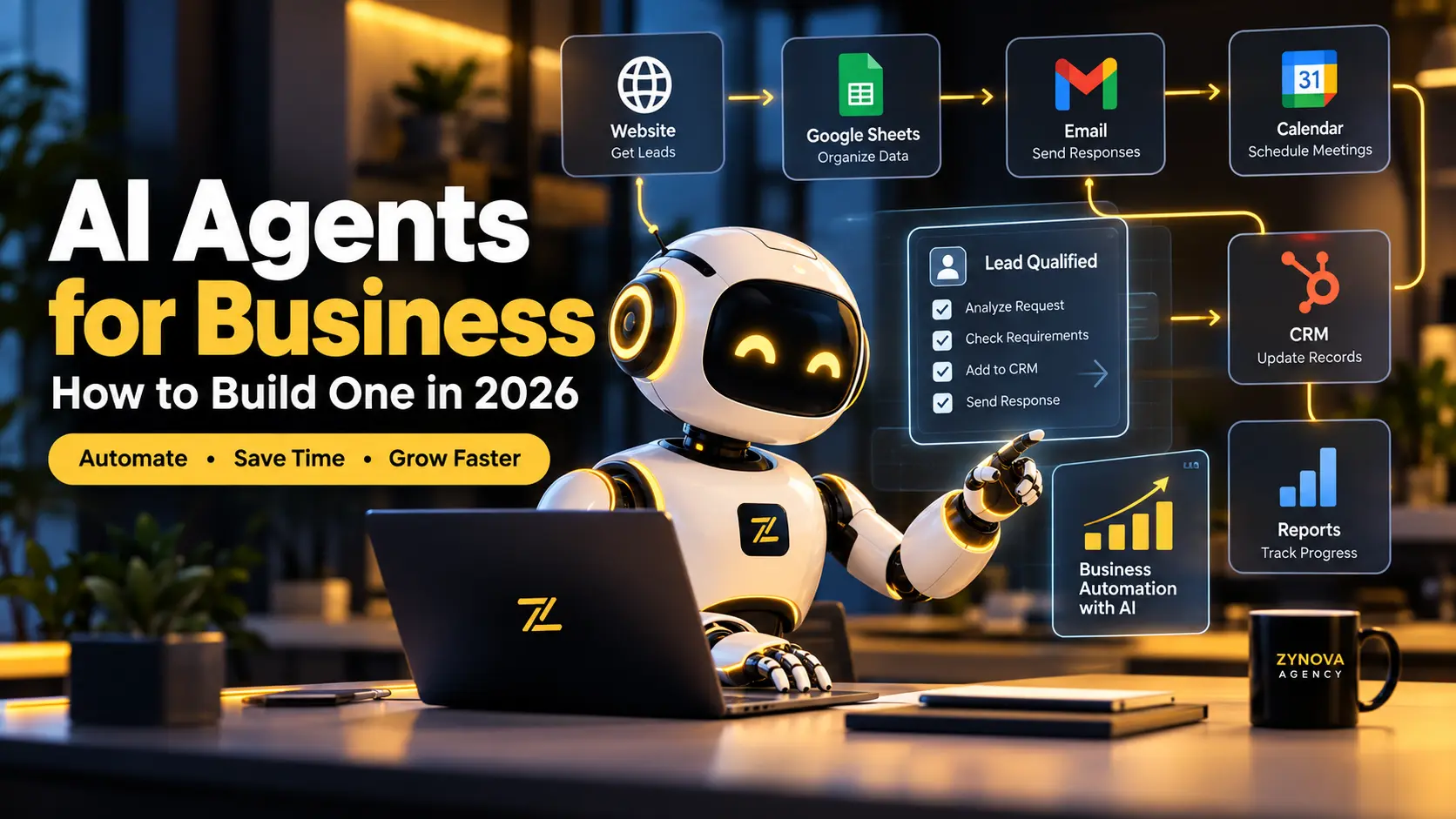
AI agents for business are changing how companies handle repetitive digital work. Instead of simply answering questions like a traditional chatbot, an AI agent can understand a goal, work through several steps, use connected tools and help complete real business tasks.
For businesses, this creates an important opportunity. An AI agent can help qualify leads, organize customer requests, update systems, research prospects, prepare reports and automate routine workflows.
But successful AI agents for business are not created by giving an AI model unlimited access and hoping for the best. A useful agent needs a clear goal, reliable data, carefully selected tools, defined permissions, testing and human oversight.
In this guide, you will learn what AI agents are, how they differ from chatbots, where they can create business value and eight practical steps for building one in 2026.
What Are AI Agents for Business?
AI agents for business are software systems designed to work toward a defined business objective using artificial intelligence.
They can understand information, make limited decisions, use connected software tools and perform steps in a workflow.
Imagine that a new customer submits an inquiry through your website.
A traditional contact form sends the information to your inbox.
An AI-powered workflow could go further. It could understand the customer’s request, determine which service they need, classify the lead, add the information to your CRM, prepare a response and notify the right team member.
The AI is not simply generating text. It is helping move work through a business process.
That is what makes AI agent automation different from a normal chatbot.
How Are AI Agents Different From Chatbots?
Chatbots mainly respond to messages.
A customer may ask, “What services do you provide?” and the chatbot returns an answer.
An AI agent can work toward a broader goal.
For example, you could give an agent the objective:
“Research new businesses that may need our web development services and prepare qualified opportunities for review.”
The agent could collect public business information, inspect websites, organize useful details and prepare a structured report for your sales team.
The difference is simple.
A chatbot primarily provides answers.
An AI agent can help complete tasks and workflows.
That does not mean every business needs a completely autonomous system. In many situations, the best approach is controlled business automation with AI, where the agent performs repetitive work and a human remains responsible for important decisions.
Why Are Businesses Using AI Agents in 2026?
The interest in AI agents for business is growing because companies already use many separate digital systems.
A business may have a website, CRM, email platform, accounting software, spreadsheets, databases, support tools, e-commerce systems and internal dashboards.
Employees often spend significant time moving information between these systems.
AI agents can help connect parts of that work.
Google Cloud’s 2026 AI Agent Trends research describes a shift from simple prompts toward agents that can support complex, multi-step workflows.
Microsoft’s 2026 Work Trend Index similarly focuses on agents taking on more execution while people retain responsibility for directing work and outcomes.
The goal should not be to automate every task.
The goal is to identify repetitive work where automation can save time without removing necessary human judgment.
What Can an AI Agent Do for a Business?
The strongest use cases usually involve tasks that happen frequently, follow a recognizable process and use digital information.
An AI agent can help qualify website leads, research potential customers, prepare follow-up emails, categorize support requests, update CRM records, summarize documents, prepare reports and connect different business systems.
For an e-commerce company, an agent might organize product or order questions.
For an agency, it might research leads and prepare sales information.
For a software company, it might help with support triage, documentation or internal operations.
The best AI agents for business are designed around a specific workflow instead of trying to handle everything at once.
Step 1: Choose the Right Business Problem
The first step is not choosing an AI model.
Start with the business problem.
Ask:
“What repetitive digital task is consuming unnecessary time?”
A good automation opportunity may be a process that employees repeat dozens of times every week.
For example, your team may manually review incoming leads, copy customer information between systems, answer the same support questions or prepare similar reports every day.
A process that happens once every few months may not be worth automating.
A process that happens hundreds of times per month may have much greater potential.
Before building an AI agent for business, clearly identify the task you want to improve.
Step 2: Define the Agent’s Goal and Limits
An AI agent needs a specific objective.
Avoid vague instructions such as:
“Help with our business.”
Instead, define an outcome.
For example:
“Review new website inquiries, identify the requested service, classify each lead and prepare the information for the sales team.”
Then define what the agent cannot do.
You may allow the system to prepare a customer email but require a human to approve it before sending.
You may allow an agent to read customer records but prevent it from deleting them.
These limits are especially important when a workflow involves financial information, personal data, contracts or customer-facing decisions.
Clear boundaries make AI agent automation easier to test and safer to operate.
Step 3: Choose the AI Model and Tools
The AI model is only one part of an agent system.
A complete system may include an AI model for reasoning, an automation platform for workflow logic, business applications such as CRM or email, a knowledge source and an action layer that performs approved tasks.
You do not always need the most complex architecture.
Anthropic’s guidance on building effective agents emphasizes simple, composable approaches and matching complexity to the actual problem.
If a simple workflow solves the problem reliably, use the simple workflow.
Add complexity only when the business requirement actually needs it.
Step 4: Connect the Right Business Systems
An AI agent becomes more useful when it can work with the systems your business already uses.
A sales workflow might connect:
Website form → AI analysis → CRM → Email → Calendar.
A customer-support workflow might connect:
Website chat → Knowledge base → Customer records → Support ticket.
Before connecting anything, decide exactly what the agent is allowed to read, create or update.
Do not give an agent more access than it needs.
Limited permissions reduce risk and make problems easier to investigate.
This is one of the most important principles when implementing business automation with AI.
Step 5: Build the AI Agent Workflow
Once the goal and integrations are clear, map the workflow from beginning to end.
Consider a lead qualification system.
A prospect submits an inquiry.
The AI reads the request and identifies the service, business type and project requirements.
The system compares the information with predefined qualification rules.
The lead is added to the correct CRM stage.
A personalized response is prepared.
A salesperson reviews the response.
A follow-up task is created.
This controlled approach makes AI agents for business easier to understand and measure.
Start with a predictable workflow before giving the system more independence.
Step 6: Add Human Approval and Safety Controls
Human oversight remains important.
Microsoft’s 2026 research emphasizes the relationship between increasing agent execution and human responsibility for directing work and owning outcomes.
For important actions, add approval steps.
An employee should review sensitive communications, significant financial changes, refunds, legal content or high-impact customer decisions.
You should also maintain logs showing what triggered the agent, what information it received, what decision it made and what action it performed.
Good logging makes AI agent automation easier to monitor and improve.
Step 7: Test the Agent Before Launch
Testing should include more than perfect examples.
What happens if a customer provides incomplete information?
What happens if the AI is uncertain?
What happens if an external service stops responding?
What happens if two customer records look similar?
What happens if an integration returns unexpected data?
A useful test measures whether the workflow completed correctly, not whether the AI produced impressive language.
An intelligent-sounding response is not useful if the system updates the wrong customer record.
Reliable AI agents for business require realistic testing.
Step 8: Monitor Results and Improve the System
Launch is not the end of the project.
Track how the agent performs.
Measure whether it saves time, completes tasks successfully, reduces repetitive work and creates fewer manual steps.
Also track failures.
If employees frequently correct the same mistake, improve the instructions or workflow.
If one integration regularly fails, strengthen that part of the system.
The goal is continuous improvement.
A successful AI agent for business should become more reliable as you learn how it behaves in real operations.
Best AI Agent Use Cases for Businesses
The right use case depends on the company, but several areas are particularly suitable for structured automation.
Lead Generation and Qualification
An AI agent can organize incoming leads, analyze submitted information and help determine which opportunities should receive priority.
It can also support prospect research by collecting permitted public information and preparing structured summaries for a sales team.
Customer Support
AI agents can answer routine questions, retrieve relevant information and route complicated cases to employees.
The goal is not necessarily to remove human support.
Instead, automation can reduce repetitive work so employees can focus on more difficult customer issues.
Sales Follow-Up
An AI agent can prepare follow-up messages, summarize previous interactions and remind sales teams when action is required.
Human approval can remain part of the workflow before important messages are sent.
Internal Operations
Internal processes are often strong candidates for AI agents for business.
An agent can help move information between spreadsheets, databases, email, CRM software and dashboards.
This can reduce repetitive copying and manual data entry.
Research and Reporting
AI agents can collect information from approved sources and prepare structured summaries.
A manager could receive a daily or weekly operational report without an employee manually combining data from several systems.
E-Commerce
An e-commerce agent may help organize order questions, product inquiries, customer requests or other repetitive digital workflows.
The exact automation should depend on the store’s systems and customer experience requirements.
Common AI Agent Mistakes to Avoid
The biggest mistake is trying to automate too much at the beginning.
A company may attempt to build one enormous agent that controls sales, customer service, operations and reporting at the same time.
That usually makes testing and troubleshooting much harder.
Start with one measurable workflow.
Another mistake is giving the agent too many permissions.
Only provide the access required for the task.
Businesses should also avoid poor-quality data, unclear instructions, missing approval stages and automation without performance monitoring.
The most effective AI agents for business are usually focused, measurable and carefully controlled.
How Much Does It Cost to Build an AI Agent?
There is no single price for an AI agent.
The cost depends on the workflow.
A simple agent that reviews form submissions and prepares responses is very different from a custom system connected to multiple databases, customer platforms and internal applications.
Important cost factors include integrations, workflow complexity, AI usage, custom development, security requirements, reporting and ongoing maintenance.
Instead of only asking how much an AI agent costs, consider the business value.
If automation saves many employee hours every month, even a relatively simple system can provide meaningful value.
If the workflow creates very little measurable benefit, building an advanced agent may not make sense.
Are AI Agents for Business Right for Your Company?
AI agents for business are most useful when the workflow is frequent, clearly defined and based on information that already exists digitally.
Consider whether the task happens regularly.
Consider whether it consumes meaningful employee time.
Ask whether the process can be clearly explained and whether mistakes can be detected.
Also ask whether success can be measured.
If the answers are mostly yes, the workflow may be suitable for automation.
If the task depends heavily on sensitive judgment or unpredictable real-world decisions, a human-assisted system may be a better choice.
Final Thoughts
The future of AI agents for business is not about giving software unlimited autonomy.
It is about building reliable systems that combine AI, business rules, integrations and human oversight.
Start with one repetitive process.
Define the result you want.
Choose only the tools you need.
Connect systems carefully.
Add approval steps where mistakes would matter.
Test realistic situations.
Measure the results.
Then expand the automation after the first workflow proves useful.
At Zynova Agency, we design AI automation and intelligent workflows around real business operations instead of one-size-fits-all templates.
If your company has repetitive work you want to improve, explore our AI & Automation services or contact Zynova Agency to discuss the workflow you want to automate.
Frequently Asked Questions
What are AI agents for business?
AI agents for business are AI-powered systems designed to work toward specific business goals. They can analyze information, use connected tools and complete defined steps inside a workflow.
What is the difference between an AI agent and a chatbot?
A chatbot mainly answers questions. An AI agent can work toward a goal, use tools and perform actions within defined limits.
Can small businesses use AI agents?
Yes. Small businesses can use AI agents for focused tasks such as lead qualification, customer support, research, reporting and internal automation. Starting with one small workflow is usually better than building a complicated system immediately.
Can an AI agent work without human supervision?
Technically, some workflows can operate with very little human involvement. However, important or sensitive actions should still include suitable monitoring and approval controls.
How do you build an AI agent for business?
Start by identifying a repetitive process, define the agent’s goal, choose the right AI and automation tools, connect required systems, build the workflow, add safeguards, test realistic situations and monitor the results.